Cord-cutting in Canada? The 3 best IPTV apps for Samsung and LG TVs in 2026
There is a quiet shift happening in living rooms across Canada in 2026. The familiar tangle of cable wires and the restrictive schedule of traditional broadcasting are slowly being replaced by something more fluid and personalized. We are seeking simplicity in how we consume entertainment, prioritizing quality and choice over expensive bundles we rarely use.
This shift is toward IPTV, Internet Protocol Television. It is a modern approach to viewing that uses your internet connection to deliver live TV, movies, and series directly to your screen. It feels cleaner, more direct, and often, much more affordable.
However, the experience of IPTV is only as good as the vessel that delivers it. If you own a Samsung or LG Smart TV, you are likely already enjoying a display known for its crisp visuals and elegant design. To match that hardware, you need software that respects the quality of your viewing time.
Navigating the app stores on Samsung’s Tizen OS or LG’s webOS can be overwhelming. To help you find the perfect setup for your home, we have curated a guide to the three most capable IPTV players available for Canadian users today.
The Canadian shift away from cable
The move toward streaming is not just a trend; it is a change in our lifestyle. According to the 2024 CRTC Communications Monitoring Report, traditional cable and satellite subscriber numbers in Canada have continued to decline, dropping by an average of 3% annually over the last four years. Meanwhile, nearly 30% of Canadian households have transitioned to being “streaming-only.”
Why the change? It comes down to value and comfort. We want to pay only for what we watch, and we want the freedom to watch it on our own terms. IPTV offers this flexibility. However, unlike a simple Netflix login, IPTV requires a “player”, an app that acts as the interface for the content provided by your subscription service.
Finding a player that works harmoniously with the proprietary operating systems of Samsung and LG TVs is key to a relaxing evening.
1. Hot IPTV: The premium choice for stability
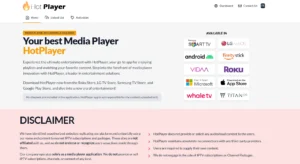
Best for: Viewers who value a seamless, stutter-free experience.
If simplicity and reliability are your highest priorities, Hot IPTV is an excellent place to start. In the world of smart TV apps, you often get what you pay for, and Hot IPTV is a paid application that justifies its cost through performance.
The visual experience
The interface of Hot IPTV is designed with a dark, modern aesthetic that looks stunning on high-definition screens. It does not clutter your view with unnecessary buttons or jarring colors. Instead, it offers a clean list view of your channels and content, making navigation feel intuitive and calm.
Performance and cost
Functionality is where this app shines. It is widely regarded as one of the most stable players for Tizen and webOS. While free apps can suffer from buffering or crashing due to poor coding, Hot IPTV handles high-quality streams with grace. It supports multi-language subtitles and EPG (Electronic Program Guide), so you can see what is playing now and what is coming up next with ease.
The details:
- Cost: It requires a fee of 8 CAD a year or a one-time activation fee (typically around $15–$20 CAD, depending on current exchange rates from Euros).
- Availability: Readily available on both the Samsung Smart Hub and LG Content Store.
- Verdict: It is a paid service, but for the peace of mind it offers during your evening relaxation time, it is a worthy investment.
2. IBO Player Pro: Speed and versatility
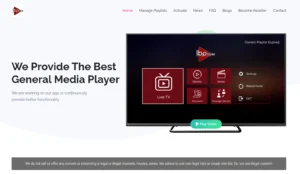
Best for: Power users who want fast loading times and format support.
Another strong contender in the premium space is IBO Player Pro (often listed simply as IBO Player). Like Hot IPTV, this is a dedicated media player that focuses on delivering content smoothly, without the “bloat” that slows down other applications.
Designed for speed
The hallmark of IBO Player Pro is its speed. When you turn on your TV and launch the app, it initializes quickly, and channel zapping, switching from one stream to another, feels snappy. For those who dislike the lingering black screen between channels, this responsiveness is a significant comfort.
Features
IBO Player Pro handles various playlist formats exceptionally well, including M3U and Xtream Codes, which are the industry standards. It allows you to organize your favorite channels into lists, ensuring that your preferred news station or relaxing nature documentary is never more than a few clicks away.
The details:
- Cost: After a 7-day free trial, you will need to pay an activation fee (roughly $10–$15 CAD/year or a slightly higher lifetime fee).
- Availability: Easy to find on Samsung and LG app stores in Canada.
- Verdict: While it is a paid app, the 7-day trial allows you to test the waters. If you appreciate a responsive, snappy interface, this is a beautiful option.
3. IPTV Smarters Pro: The familiar standard
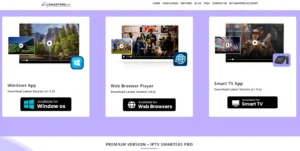
Best for: Those testing the waters who prefer a free entry point.
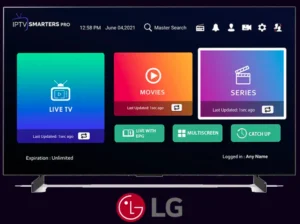
You cannot discuss IPTV without mentioning IPTV Smarters Pro. It is arguably the most famous name in the industry, known for its distinct layout that categorizes content into Live TV, Movies, and Series.
The accessible option
The primary appeal of IPTV Smarters Pro is that the core version is free. For many, this is the first app they try. It offers a very user-friendly dashboard that makes managing large libraries of content easy. The “Master Search” feature is particularly useful, allowing you to search for a specific movie across all your categories at once.
The compromise
However, there is a reason this app sits third on our list for Smart TVs. While the Android version of Smarters Pro is flawless, the version built for Samsung (Tizen) and LG (webOS) can be temperamental.
Users often report minor bugs, such as the Electronic Program Guide failing to load or the app freezing after long sessions. It lacks the polish and “set it and forget it” stability of Hot IPTV or IBO Player. Additionally, finding the official version on the TV app stores can sometimes be tricky depending on your specific TV model year.
The details:
- Cost: Free (with a paid premium version available, though features vary by device).
- Availability: Available on most Samsung and LG models, but stability varies.
- Verdict: A great starting point if you want to test your IPTV service without opening your wallet, but be prepared for occasional hiccups.
Understanding the “Player” concept
It is important to remember that all three of these applications are purely media players. They are empty shells, beautifully crafted vessels waiting to be filled.
When you download Hot IPTV, IBO Player, or Smarters Pro, they do not come with channels, movies, or shows included. You must have your own content playlist (subscription) from an IPTV provider, which you then connect to the app. This distinction is important for maintaining an authentic and legal viewing experience. Always ensure you are using services that respect copyright laws.
Creating your sanctuary
Your home is your sanctuary, and your entertainment system plays a large role in how you unwind. Whether you choose the robust stability of Hot IPTV, the speed of IBO Player Pro, or the familiar interface of Smarters Pro, moving to an app-based TV experience removes the physical clutter of cable boxes and the mental clutter of rigid schedules.
Take the time to test the trials where available. See which interface feels most natural to you. After all, the technology should fade into the background, leaving you with nothing but the pure enjoyment of your favorite stories.