When you sign up for an IPTV service, the first thing you usually receive is a URL. For most people, it looks like a long, confusing string of random text. You might wonder what it actually does or how you are supposed to use it.
That long web link is essentially the key that unlocks your entire IPTV subscription. It contains all the instructions your streaming device needs to load your live channels, movies, and TV shows. Without it, your app is just an empty shell.
If you are feeling a bit overwhelmed by the technical jargon, you are in the right place. We are going to explain exactly what an IPTV URL is, what it contains, and how to use it properly to get your streams running smoothly.
What Is an IPTV URL in Simple Terms?
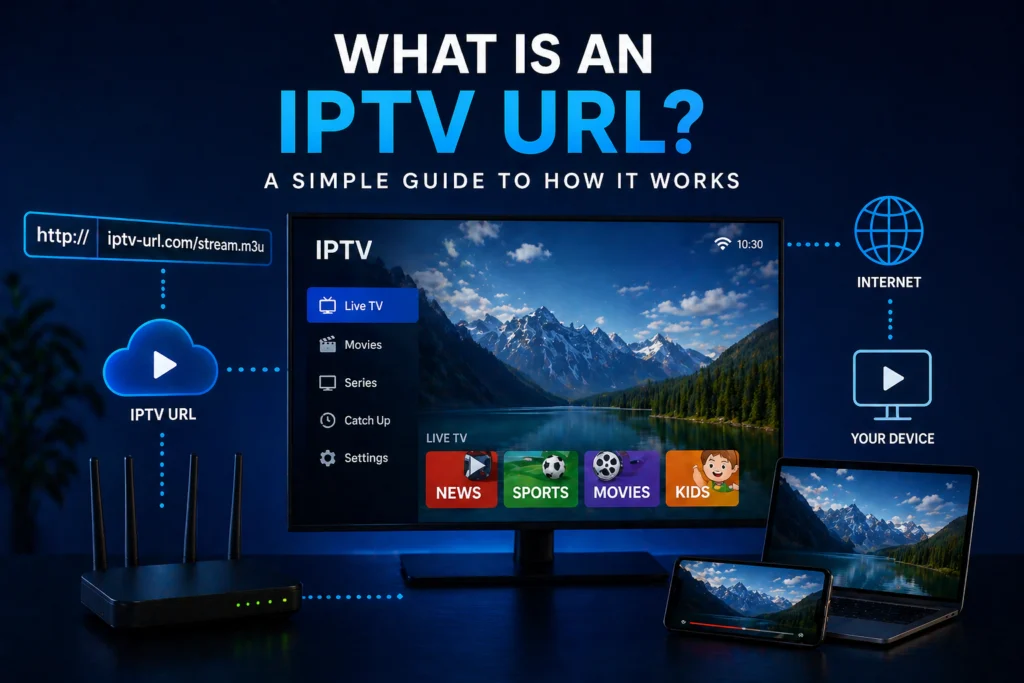
In the simplest terms, an IPTV URL is a web address that connects your specific IPTV app to your provider’s private server.
Think of it like visiting a secure building. The URL acts as the physical street address pointing you to the right location. Meanwhile, the username and password hidden inside that URL act as the keys that unlock the front door. Every legitimate IPTV subscription comes with one, because your device needs to know exactly where to find the content you paid for.
A typical URL might look something like this: http://provider-server.com:8080/get.php?username=YOURNAME&password=YOURPASS&type=m3u_plus&output=ts.
Because this link contains your personal login credentials, you should never share it with anyone. If someone else uses your URL, your provider might block your account for unauthorized access.
The Two Main Types of IPTV URLs
When setting up your IPTV canada service, you will generally encounter two different formats. Understanding the difference between an M3U URL and an Xtream Codes API URL is what most competing guides get wrong, but it is crucial for a smooth setup.
M3U URL
M3U stands for MP3 URL. Originally designed for audio playlists, it is now the standard format for video streaming lists. An M3U URL contains a massive, text-based list of all your available channels and stream links.
When you paste an M3U URL into your player, the app reads the link, downloads the text file from the server, and displays your channel list.
- Pros: It is a universal format that works with almost every media player available.
- Cons: Loading massive M3U lists can be slow on older devices, and the links are much easier for people to accidentally share or misuse.
Xtream Codes API URL (Portal URL)
Xtream Codes is a specialized system used by IPTV providers to manage their content. Instead of downloading a massive text file, an Xtream Codes URL connects your app directly to the provider’s server dashboard.
It breaks the setup into three easy pieces: the Server URL, your Username, and your Password.
- Pros: It is significantly more secure, much faster to load, and provides a highly stable connection. App interfaces also look much better when using this method.
- Cons: Not every basic media player supports Xtream Codes login, though most dedicated IPTV apps do.
What Does an IPTV URL Actually Contain?
If you look closely at that long string of text, you will notice it is broken up into specific pieces of information. Here is what is actually hiding inside your link:
- The server address: This is the website domain where your stream physically originates.
- The port number: Usually a number like 8080 or 2086, indicating the specific digital channel your device uses to communicate.
- Your unique username: A string of characters that identifies your specific account.
- Your password: The security code that authenticates your access to the server.
- The output format: Phrases like m3u, ts, or m3u8 tell the player how to format the incoming video.
Because this link acts as a piece of computer code, changing even a single character or accidentally adding a blank space will break the entire URL.
Where Do You Get Your IPTV URL?
You receive your URL directly from your provider immediately after you purchase a subscription. Most companies will send it directly to your email inbox, along with setup instructions. You can usually find it listed inside your account dashboard on the provider’s website as well.
If you ever lose your URL, you cannot simply ask for a new one . The address is uniquely assigned by the server. You will need to contact your provider’s customer support to retrieve it.
When you subscribe to iptvcad, your specific IPTV URL is generated and sent to your email instantly after signup, meaning you can start streaming right away.
How to Use Your IPTV URL
Different apps require slightly different setup steps. Always remember the golden rule: copy and paste your URL exactly as provided to avoid typing errors.
In IPTV Smarters Player
Open the app and select “Add Your Playlist (via XC API) or M3U URL.” We highly recommend choosing the Xtream Codes API method if your provider supports it. Simply paste the server URL, username, and password into the corresponding boxes and click login.
In TiviMate
TiviMate is a premium app that handles URLs beautifully. Navigate to Settings, select “Add Playlist,” and choose “M3U playlist.” Paste your full URL into the designated field and let the app process the channels.
In VLC Media Player
VLC is perfect for quickly testing your connection on a computer. Open VLC, click on “Media” in the top menu, and select “Open Network Stream.” Paste your URL into the network box and hit play.
In GSE Smart IPTV
Open the app menu and select “Remote Playlists.” Click the plus (+) icon to add a new playlist. Give the playlist a name, paste your full URL into the link box, and save it.
M3U URL vs Portal URL — Which Should You Use?
Choosing between these two formats usually comes down to the app you want to use and what your provider recommends. Always follow your IPTV provider‘s guidance first.
| Feature | M3U URL | Portal URL (Xtream Codes) |
| Compatibility | Very High (Works on almost anything) | High (Requires dedicated IPTV apps) |
| Speed | Can be slow to load initially | Very fast, connects directly to server |
| Security | Lower (Easy to copy and share) | Higher (Requires separate login details) |
| Best For | VLC, basic media players | TiviMate, IPTV Smarters, Formuler devices |
Common IPTV URL Problems and How to Fix Them
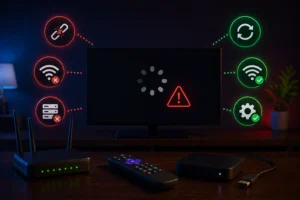
Even with the correct link, you might occasionally run into issues. Here are the most common problems and how to solve them:
- URL not working: The most common culprit is a typo. Double-check for missing letters, numbers, or accidental spaces. Always use copy and paste instead of typing it manually.
- Expired URL: If your subscription has lapsed, your URL will be deactivated. Contact your provider to renew your service.
- Works on one device but not another: This is usually an app compatibility issue. Try switching between an M3U format and an Xtream Codes format depending on the app.
- Channels load but stream will not play: Your Internet Service Provider (ISP) might be blocking the server port. Using a VPN can quickly bypass this restriction.
- URL suddenly stopped working: Providers occasionally update their server addresses for maintenance or security. Check your email to see if they sent a new server link.
How to Keep Your IPTV URL Safe
Your URL is essentially your digital wallet for streaming content. Treating it with care ensures your service remains uninterrupted.
Never share your URL publicly on forums, social media, or with friends. Anyone with that link can hijack your subscription, and providers will automatically ban accounts that show multiple simultaneous logins from different IP addresses. Furthermore, never paste your link into random, unverified web players or third-party websites.
Store your link somewhere secure, like a password manager or a private digital note. If you suspect someone else has gained access to your URL, contact your provider immediately and ask them to reset your credentials and issue a new link.
Where Can You Get an IPTV URL in Canada?
To get a working, high-quality URL, you need a subscription from a legitimate IPTV provider. While you might be tempted to search for “free IPTV URLs” online, doing so is highly dangerous. Free URLs are often loaded with malware, use stolen credentials, and rely on dead streams that buffer constantly or shut down after a few hours.
If you are a Canadian resident, you want a trustworthy provider that offers local servers, reliable customer support, and easy-to-understand billing. At iptvcad, we provide a secure, high-speed URL instantly after signup. We even offer a free trial option so you can test the service safely before committing.
Start Streaming With Confidence
An IPTV URL is simply the digital address that connects your favorite media app to your provider’s server. Once you understand the difference between a standard M3U list and a secure Xtream Codes API connection, setting up any streaming app becomes incredibly easy.
By treating your URL like a private password and always sourcing it from a legitimate service, you can enjoy a flawless streaming experience. Ready to see how easy it can be? Get your secure IPTV URL today with iptvcad’s free trial and start watching your favorite content in minutes.