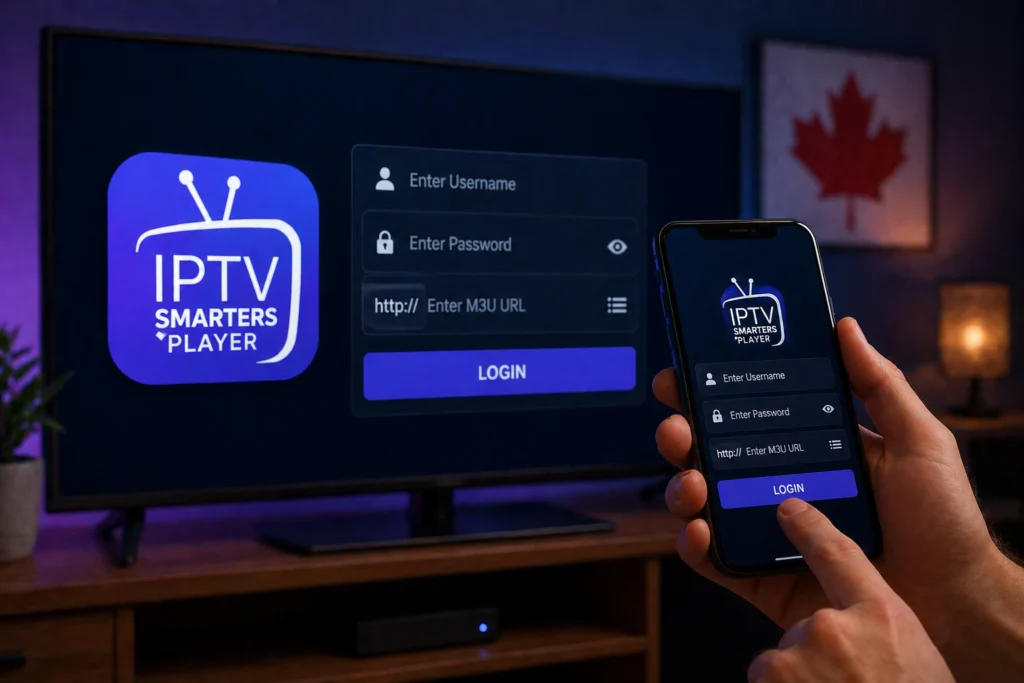
IPTV Smarters Player is one of the most popular streaming applications in Canada. It offers a clean interface, robust features, and excellent compatibility across almost all major devices. Getting started can feel slightly technical if you are new to the platform, but it is actually incredibly straightforward.
If you have your subscription details ready, this guide will help you log in and start watching your favorite channels in under five minutes.
What You Need Before You Start
Before opening the app, make sure you have the following ready:
- Your IPTV subscription credentials: This includes a username, password, and server URL. Alternatively, you might have an M3U URL. You can usually find these in the welcome email sent by your IPTV provider.
- The application: Ensure IPTV Smarters Player is downloaded and installed on your device.
- An internet connection: Make sure your device is connected to a stable Wi-Fi or hardwired network.
How to Login Using Xtream Codes API
Logging in via the Xtream Codes API is the most common and user-friendly method. It organizes your live TV, movies, and series perfectly.
Step 1: Open the IPTV Smarters Player application on your device.
[Insert Screenshot: IPTV Smarters Player home screen]
Step 2: Select the option that says “Add User” or “Login with Xtream Codes API.”
Step 3: Enter any name in the first box (e.g., “My IPTV”).
Step 4: Type in your username exactly as provided by your service.
Step 5: Enter your password.
Step 6: Input your server URL (often called the portal URL). Ensure it includes http:// or https://.
Step 7: Tap “Add User.” The app will now connect to the server and download your channels.
How to Login Using an M3U URL
If your IPTV service gave you an M3U link instead of standard credentials, use this method. You can learn more about how these links work in our complete M3U guide.
Step 1: Open the application.
Step 2: Select “Add User,” then tap “Load Your Playlist or File/URL.”
[Insert Screenshot: M3U login selection screen]
Step 3: Type a name for your playlist in the first field.
Step 4: Select the URL option and carefully paste your M3U link into the box.
Step 5: Tap “Add User” to confirm your entry.
Step 6: Wait a few moments while the app loads your playlist data.
Logging in on Different Devices
The great thing about this application is its consistency. Whether you are using our full IPTV Smarters setup guide for a smart TV or setting it up on a phone, the login process is nearly identical.
- Firestick & Android TV/Box: You will navigate using your remote. The interface is optimized for television screens.
- iPhone & iPad: The layout is touch-friendly. You can easily copy and paste your credentials directly from your provider’s email.
- Windows PC: The desktop version features a wider layout, making it easy to type out your server URLs using a physical keyboard.
Common Login Problems and Quick Fixes
Sometimes things go wrong during setup. Here are the most common login issues and how to resolve them immediately:
- Invalid details: Double-check your username, password, and URL for typos. Capitalization matters, and it is easy to mistake a capital “I” for a lowercase “l”.
- Server URL format errors: Your URL must start with http:// or https://. If you leave this out, the connection will fail.
- App not loading after login: Check your device’s internet connection. Restart your router if the connection is active but struggling.
- Playlist not updating: Navigate to the user screen, delete the current user profile, and re-add your credentials to force a fresh download.
- Getting kicked out: This usually means you have exceeded the connection limit on your current plan. Ensure you aren’t streaming on another device simultaneously.
Start Watching Today
Once you have your credentials, logging into the application takes less than two minutes. The clean interface does all the heavy lifting, organizing your content so you can simply sit back and enjoy.
If you do not have an active subscription yet, you can test out our premium service right now. Grab an iptvcad free trial to get your credentials immediately and experience top-tier Canadian streaming.