
Updated: July 2026 · Reading time: 12 min · Quebec-specific
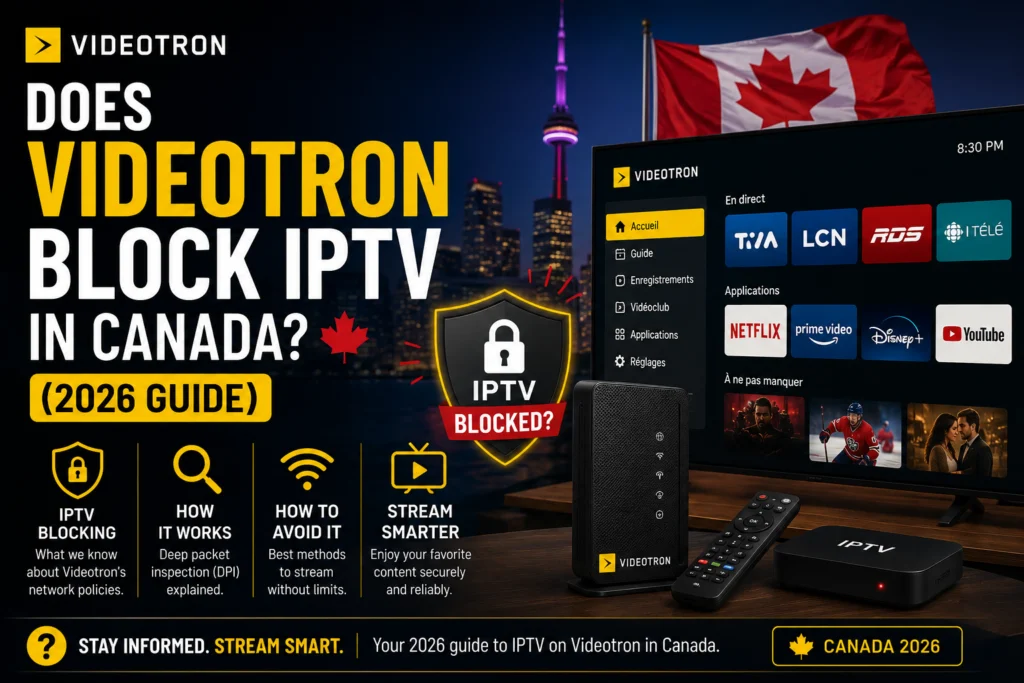
Quick answer: Videotron does not officially block iptv in Quebec, but it uses four traffic-management techniques — port filtering, DNS filtering, deep packet inspection, and peak-hour throttling — that create the same practical effect for many subscribers. The fix isn’t always a VPN. With the right provider, Ethernet setup, and a DNS change at the router level, IPTV runs cleanly on Videotron Helix, Fibre, and standard cable.
If you’re a Videotron subscriber in Montreal, Québec City, Gatineau, Sherbrooke, or anywhere else in the province, you’ve probably noticed that IPTV works perfectly for weeks — then suddenly buffers every evening at 8 PM. Or one channel loads fine while another sits stuck on a spinner. Or your setup works on cellular data but not at home. That’s not your imagination, and it’s not a broken subscription. It’s Videotron’s network doing exactly what it’s designed to do. This guide breaks down what’s actually happening and how to build an IPTV setup that survives it.
Who Videotron Is and Why It Matters for IPTV in Quebec
Videotron is Quebec’s dominant ISP, owned by Quebecor Media. It serves roughly 1.7 million subscribers across Montréal, Québec City, Gatineau, Sherbrooke, the Saguenay region, and increasingly in eastern Ontario and francophone New Brunswick. Videotron owns and operates its own network — hybrid fibre-coaxial cable across most of Quebec, plus an aggressive Pure Fibre expansion delivering symmetrical speeds up to 2.5 Gbps in a growing number of communities.
Direct network ownership matters here. Unlike reseller ISPs that push traffic through third-party pipes, Videotron controls every layer of the connection between your streaming device and the wider internet. That control is why the company’s traffic management is more effective — and more noticeable to IPTV users — than smaller providers.
💡 Context: Videotron’s three internet products behave differently for IPTV. Standard cable is most susceptible to peak-hour congestion. Helix adds Wi-Fi 6 and Android-based TV integration but ships with aggressive built-in QoS. Pure Fibre delivers the smoothest IPTV experience thanks to symmetrical bandwidth, but it’s still subject to the same filtering techniques as the other products.
Does Videotron Actually Block IPTV?
Short answer: not officially. Longer answer: Videotron uses four techniques that produce the same result for subscribers.
Blocking common IPTV ports (8080, 25461, 8000) during peak hours. Streams die mid-broadcast even though your internet works fine.
Resolving specific IPTV provider domains to invalid IPs, so channel URLs never connect at all. EPG fails first, then streams.
Detecting IPTV traffic patterns and de-prioritising them behind Netflix, YouTube, and Videotron’s own services.
Slowing streaming-shaped traffic between roughly 7 PM and 11 PM when network load peaks. Buffering shows up like clockwork.
None of this is unique to Videotron — Bell, Rogers, and Cogeco all do variations of the same thing. But because Videotron controls its own infrastructure end-to-end, its filtering tends to be more consistent and harder to route around than what you see with resellers. For a broader picture across Canadian ISPs, see our guide on whether Canadian internet providers can block IPTV, and its cousin piece on Cogeco’s approach to IPTV traffic.
Are You Being Throttled? Quick Diagnosis
Check the boxes that apply to your setup:
Three or more boxes? You’re seeing traffic management, not a broken subscription.
Videotron Helix vs Fibre vs Cable — How Each Affects IPTV
Not every Videotron connection is equal. Which product you’re on shapes what you’ll experience with IPTV.
| Product | Typical Speed | IPTV Performance | Main Watch-Out |
|---|---|---|---|
| Standard Cable | 50–400 Mbps | Fine off-peak, laggy at prime time | Evening congestion |
| Helix | 400 Mbps–1.5 Gbps | Works but Helix router interferes | Built-in QoS de-prioritises IPTV |
| Pure Fibre | Up to 2.5 Gbps symmetrical | Best-case, handles 4K + multiple streams | Still subject to filtering |
Practical takeaway: Fibre users get the smoothest experience. Helix users usually need to route around the Helix router. Cable users see the most peak-hour buffering.
Common Videotron IPTV Problems and How to Fix Them
Five real problems, five real fixes. Work through them in order.
🔧 Problem 1 — IPTV buffers only in the evening
Cause: Peak-hour throttling between 7 and 11 PM.
Fix: Switch from WiFi to Ethernet, use an IPTV provider with Canadian CDN nodes (Montréal or Toronto), then try a VPN as a last resort. Full walkthrough in our buffering fix guide.
🔧 Problem 2 — Some channels won’t load, others work
Cause: DNS filtering on specific IPTV provider domains.
Fix: Change your DNS to Cloudflare (1.1.1.1) or Google (8.8.8.8) at the router level, not on individual devices. This bypasses Videotron’s DNS servers entirely.
🔧 Problem 3 — IPTV works on mobile data but not on Videotron WiFi
Cause: Port filtering or deep packet inspection on the home connection.
Fix: Ask your IPTV provider whether they support alternate ports. Most premium providers do. If not, a VPN masks the traffic pattern entirely.
🔧 Problem 4 — Helix router blocks certain IPTV apps
Cause: Helix’s built-in QoS prioritises Videotron’s own streaming services over third-party IPTV.
Fix: Put the Helix router in bridge mode and use your own router (Asus, TP-Link, or Ubiquiti). This removes Helix’s QoS layer from the equation entirely.
🔧 Problem 5 — EPG (channel guide) doesn’t load on Videotron
Cause: DNS filtering on the EPG server domain, even when video streams work.
Fix: Change DNS to Cloudflare, or ask your provider for an EPG URL served from a different domain. See also our guide on why IPTV keeps freezing at night for related symptoms.
Should You Use a VPN with Videotron for IPTV?
Yes, but not as your first move. A VPN encrypts your entire connection, which makes Videotron’s port filtering, DNS filtering, and deep packet inspection useless — they can’t identify IPTV traffic if they can’t see inside the packets.
The trade-off is latency. Every VPN adds a few milliseconds, and some add a lot. For live IPTV, especially sports, that added lag can matter.
✓ Use a VPN when
- You’ve tried Ethernet + DNS change + Helix bridge mode
- Buffering persists at peak hours
- Your provider confirms Videotron is filtering their traffic
✗ Skip a VPN when
- Your setup already works fine off-peak
- You want lowest possible latency for sports
- Your Fibre bandwidth is already handling load
Best VPN protocols for IPTV on Videotron are WireGuard (fastest, lowest overhead) and OpenVPN UDP. Pick a Canadian server — Montréal or Toronto — to keep latency low. Expect $3–$10 per month depending on provider. Full breakdown in our VPN for IPTV guide.
Best IPTV Setup for Videotron Subscribers
If you’re building this from scratch, here’s the configuration that consistently works on Videotron in 2026.
What to Look For in an IPTV Provider on Videotron
- Canadian CDN nodes — Montréal or Toronto delivery servers. Providers hosted only in Europe will always struggle on Videotron due to trans-Atlantic latency plus DPI.
- Multiple stream ports — so the provider can switch you to a different port if Videotron filters one.
- Custom app option — proprietary apps are harder for DPI to identify than generic M3U/Xtream Codes over IPTV Smarters.
- Real support in French and English — Quebec-specific need, non-negotiable.
- Real free trial — you need to test during peak hours, not just at 2 PM.
What to Avoid
- Providers with only European servers
- Services with no French customer support
- Cheap providers who disappear when Videotron blocks a server
- Any setup requiring you to keep a US-based VPN active 24/7
Recommended Configuration on Videotron
Compare Canadian iptv canada providers built for Quebec ISPs — including Videotron — and start with a service that publishes its channel list, offers a real trial, and answers support tickets in French. Our guide on how to choose the right IPTV provider walks through what actually matters.
Best Devices for IPTV on Videotron
Device choice matters more on Videotron than on most ISPs because throttling amplifies weak hardware.
| Device | Price (CAD) | Videotron Performance |
|---|---|---|
| NVIDIA Shield TV | ~$220 | Best — Gigabit Ethernet handles throttling |
| Formuler Z11 Pro | ~$260 | Excellent — MyTVOnline is Quebec-friendly |
| Firestick 4K Max | ~$75 | Fine on Fibre, struggles on cable at peak |
| Smart TV app (Samsung/LG) | $0 | Worst — WiFi-only amplifies throttling |
See our full roundup of the best IPTV players in Canada for app-specific recommendations that pair well with each of these devices.
French-Language Channels Videotron Subscribers Actually Want
The channel checklist every Quebec IPTV service should hit — if a provider is missing any of these, they’re not built for Quebec.
If you’re a Habs fan specifically, our guide on watching every Montreal Canadiens game in Canada covers how RDS and TVA Sports coverage stacks up on IPTV versus Sportsnet.
Videotron IPTV vs Bell Fibe IPTV in Quebec
If you’re weighing internet providers in Quebec specifically for IPTV performance, here’s the direct comparison.
| Metric | Videotron Fibre | Bell Fibe |
|---|---|---|
| IPTV interference | Moderate | Aggressive |
| Peak-hour throttling | Yes (7–11 PM) | Yes (variable) |
| Max symmetrical speed | 2.5 Gbps | 3 Gbps |
| French customer support | Excellent | Good |
| Overall IPTV consistency | Better on Fibre, weaker on Helix | Consistent across products |
Verdict: for pure IPTV performance in Quebec, Videotron Fibre wins narrowly — but only if you pair it with a provider that has Canadian CDN infrastructure and knows how to route around DPI. Bell Fibe is more predictable, Videotron Fibre has higher ceiling and lower floor.
Is IPTV Legal on Videotron?
IPTV as a technology is fully legal in Canada, and Videotron doesn’t police what its customers stream. Videotron may throttle IPTV traffic for network management, but that’s not a legal position — it’s an operational one. Legality depends entirely on whether your specific IPTV provider holds the rights to the channels they distribute. For the full picture on Canadian IPTV law and what makes a provider legitimate, see our guide on using IPTV in Canada.
Frequently Asked Questions
Does Videotron officially block IPTV in Quebec?
No. Videotron doesn’t publicly declare IPTV blocked, but it uses port filtering, DNS filtering, deep packet inspection, and peak-hour throttling that create the same practical effect for many subscribers.
Why does my IPTV only buffer at night on Videotron?
Peak-hour traffic management. Videotron de-prioritises streaming-shaped traffic between roughly 7 PM and 11 PM when network load peaks.
Does Videotron Helix specifically block IPTV?
The Helix router applies more aggressive QoS than a standard modem, prioritising Videotron’s own services. Putting Helix in bridge mode and using a third-party router usually resolves it.
What’s the best DNS to use with Videotron for IPTV?
Cloudflare’s 1.1.1.1 or Google’s 8.8.8.8. Set them at the router level so every device on your network benefits — not just the streaming box.
Do I need a VPN to run IPTV on Videotron?
Not always. Try Ethernet, a DNS change, and switching to a provider with Canadian CDN nodes first. A VPN is the last resort, not the first.
Which IPTV device works best on Videotron?
NVIDIA Shield TV with Ethernet handles throttling best. Formuler Z11 Pro is a close second and Quebec-friendly. Firestick 4K Max works fine on Fibre.
Is IPTV faster on Videotron Fibre or Helix?
Fibre. It’s not just about raw speed — symmetrical bandwidth handles simultaneous streams better, and there’s less router-level QoS in the way.
Does Videotron throttle Netflix or Amazon Prime?
No. Videotron doesn’t throttle mainstream OTT services. IPTV traffic is treated differently, which is why speed tests can show full bandwidth while IPTV still lags.
Can Videotron see what I’m watching on IPTV?
They can see traffic patterns and destination servers, not the actual video content. A VPN encrypts even that.
Is running IPTV on Videotron legal?
IPTV itself is legal in Canada. Legality depends on whether your IPTV provider holds distribution rights to the channels they carry.
Final Take
Videotron doesn’t ban IPTV — it manages it. That distinction matters, because it means the fix is technical rather than political. Ethernet direct from the modem, Cloudflare DNS at the router, Helix in bridge mode, an IPTV provider with Canadian CDN nodes, and an optional VPN if throttling persists — that’s the setup that works reliably on Videotron in 2026, whether you’re on cable, Helix, or the newer 2.5 Gbps Fibre network.
Videotron is a great ISP for pretty much everything, including IPTV, once you know how to work with its network. Start with a service built for Quebec — one that answers support tickets in French, publishes its channel list openly, and has real Canadian infrastructure behind it. Compare Canadian iptv canada providers optimised for Videotron and start with a free trial during peak hours so you can test the setup when it matters most.