You settle in on the couch, grab the remote, and turn on the game. Your internet connection is running perfectly. Your phone is connected to the Wi-Fi, and regular websites load in a flash. But for some reason, your IPTV service refuses to connect or buffers relentlessly.
If you have experienced this frustrating scenario, you are definitely not alone. Many Canadians suspect their internet service providers (ISPs) are intentionally interfering with their streaming traffic. When every other online service in your home works flawlessly except your IPTV app, it is natural to wonder if someone is pulling the strings behind the scenes.
We are going to explain exactly what internet providers can and cannot do to your connection in Canada. You will learn how to determine if your ISP is actually targeting your streams, the technology they use to do it, and the proven steps you can take to bypass these restrictions entirely.
The Short Answer: Do Canadian ISPs Block IPTV?
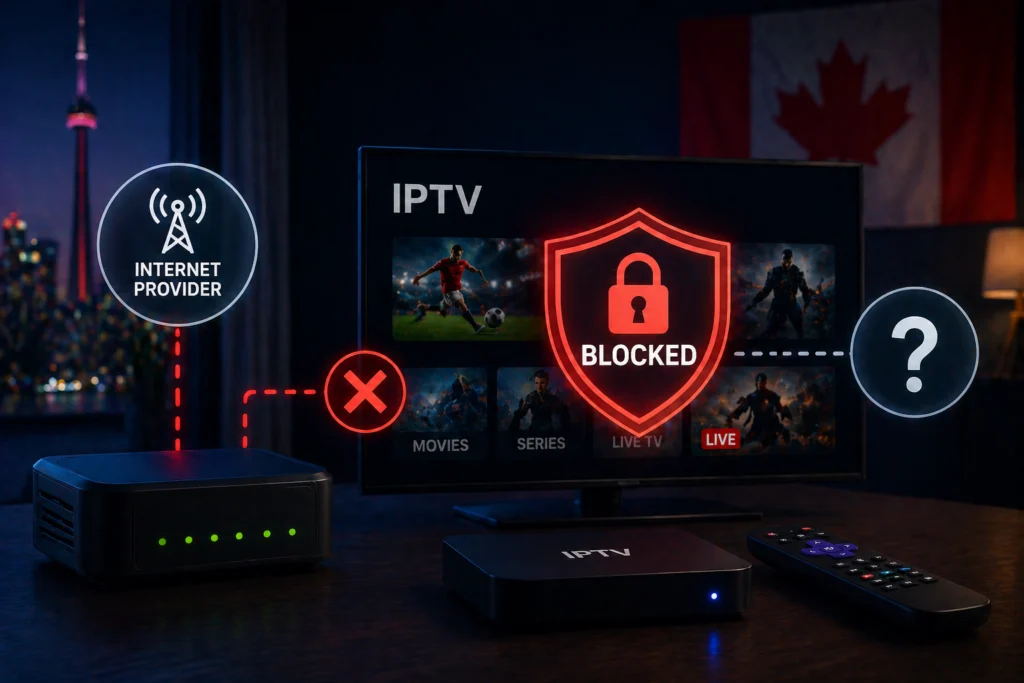
Yes, internet providers in Canada can—and do—block or throttle specific IPTV traffic. However, there is a very important distinction between full blocking, targeted throttling, and general network slowdowns.
Internet providers manage the flow of traffic on their networks to ensure stability, but they also follow legal frameworks set by the Canadian Radio-television and Telecommunications Commission (CRTC). The CRTC allows ISPs to use traffic management practices under specific conditions. Furthermore, federal court orders have occasionally forced Canadian ISPs to block access to specific unlicensed streaming servers.
Knowing why this happens and who ultimately decides to pull the plug is the first step to restoring your service.
How Internet Providers Detect IPTV Traffic
Your ISP provides the pipeline for your internet data. Because all your data flows through their infrastructure, they have tools to analyze what kind of traffic you are generating.
Deep Packet Inspection (DPI)
Think of Deep Packet Inspection (DPI) as a digital mail sorting facility. When you send or receive data, it is broken down into small “packets.” While an ISP might not read the exact contents of your private messages, DPI allows them to look at the “envelope” of these packets. They can see where the data is coming from, where it is going, and what type of data it is.
Differentiating Streams from Regular Browsing
ISPs can easily tell the difference between someone loading a text-based webpage and someone streaming high-definition video. Live streaming requires a continuous, heavy flow of UDP or TCP packets. Because live streams demand a sustained download rate compared to the burst-style downloading of on-demand content, they stand out clearly on an ISP’s network monitor.
Flagging Ports and Protocols
IPTV services often rely on specific streaming protocols and server ports. If an ISP notices a massive amount of continuous data flowing through a port commonly associated with unlicensed IPTV servers, they can configure their network firewalls to automatically flag, throttle, or block that traffic.
Blocking vs. Throttling: What is the Difference?
To troubleshoot your streaming issues, you need to know exactly what kind of interference you are dealing with.
Full Blocking
Full blocking means your ISP has completely blacklisted the IP address or domain of your IPTV server.
- What it looks like: Your app will not connect at all. You might see “Server Not Found,” “Network Error,” or the playlist will simply fail to load.
- When ISPs do this: This is usually reserved for specific, unlicensed piracy services. In Canada, the CRTC and federal courts have ordered ISPs to block access to specific domains known for broadcasting copyrighted content without permission.
- How to confirm: If your internet works fine but the IPTV portal URL is completely dead on all your home devices, you might be facing a hard block.
Targeted Throttling
Throttling occurs when an ISP deliberately slows down your IPTV traffic without fully blocking it.
- What it looks like: The stream connects, but it buffers constantly. The video quality drops drastically, and it is incredibly frustrating to watch.
- Why it happens: ISPs use throttling to manage network load or discourage the use of high-bandwidth streaming platforms. Throttling is harder to prove than a full block because the ISP can claim it is just normal network behavior.
Peak Hour Congestion
Sometimes, the problem is not targeted blocking at all. It is just network congestion.
- What it looks like: Your streams work perfectly during the day but become unwatchable between 7:00 PM and 11:00 PM.
- The reality: Evenings are the worst time for internet traffic in Canada because entire neighborhoods are logging on simultaneously. If you want to know more about this specific phenomenon, check out our guide on why IPTV freezes at night and how to fix it.
Which Canadian ISPs Are Known to Block or Throttle IPTV?
Different providers have different approaches to network management. While policies change frequently (and you should always check your current terms of service), here is the general landscape of Canadian ISPs regarding streaming traffic.
Bell
Bell has a long history of aggressive traffic management. They have been at the forefront of pushing for website blocking frameworks to combat piracy. Users frequently report strict throttling of unknown, high-bandwidth streaming protocols.
Rogers
Rogers utilizes network management policies that prioritize time-sensitive traffic (like VoIP calls) over heavy download traffic during peak hours. If your IPTV service uses peer-to-peer protocols, Rogers is known to throttle this data heavily.
Videotron
Operating primarily in Quebec, Videotron has specific traffic management patterns. They actively manage upload speeds and heavy continuous downloads to preserve node stability, which can sometimes impact live streaming services.
Shaw/Freedom
Western Canadian users on Shaw (now part of Rogers) generally experience standard peak-hour congestion, though the company explicitly reserves the right to manage heavy traffic users who disrupt network performance for others.
Telus
Telus generally maintains a neutral stance on traffic management for home fiber connections, though they will throttle mobile data heavily once users exceed their monthly high-speed data caps.
What the CRTC Says About ISP Blocking in Canada
Canada has strong net neutrality rules. The CRTC mandates that all internet traffic should be treated equally, meaning an ISP cannot arbitrarily slow down one legal service to benefit another.
However, there is an exception framework. The CRTC allows ISPs to implement website blocking if ordered by a court, specifically targeting services that facilitate copyright infringement. Over the past few years, federal courts have issued orders requiring major Canadian ISPs to block specific IP addresses tied to unlicensed live sports streams during game times.
If you believe your ISP is illegally throttling a legitimate service without a court order or valid technical reason, you have the right to file a complaint directly with the CRTC.
How to Test If Your ISP Is Blocking or Throttling Your IPTV
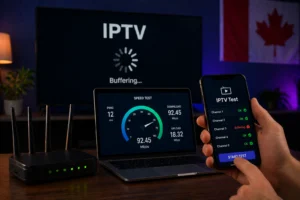
This is the most important troubleshooting process you can learn. If you want to know for sure if your ISP is messing with your connection, follow these exact steps.
Step 1: Run a standard speed test.
Disconnect from any VPNs. Connect your streaming device to your home network. Open a browser and run a speed test (like Speedtest.net). Write down your download speed.
Step 2: Connect a high-quality VPN.
Turn on a Virtual Private Network (VPN) on that exact same device. Make sure you connect to a Canadian server to keep the geographic distance short.
Step 3: Run the speed test again.
Compare the speeds. A VPN adds encryption overhead, so your speed will naturally drop by 10% to 20%. If your speed drops drastically, your VPN might be slow. But if your speed remains relatively similar, proceed to the next step.
Step 4: Try accessing your IPTV service with the VPN turned ON.
Open your IPTV app while the VPN is active. If the service connects instantly and streams flawlessly, but completely fails or buffers when the VPN is off, you have confirmed that your ISP is throttling or blocking your traffic.
Step 5: Use a dedicated testing app.
You can also use tools like the Wehe app, which is specifically designed by researchers to detect net neutrality violations and targeted ISP throttling.
Step 6: Test at different times.
Run this test at 2:00 PM and again at 8:00 PM. If the problem only exists at night and the VPN does not fix it, you are dealing with neighborhood network congestion or server overload from the IPTV provider, not targeted ISP throttling.
Does Cogeco Block IPTV? A Closer Look
Because Cogeco is a major provider in Ontario and Quebec, “does Cogeco block IPTV” is one of the most common questions Canadian streamers ask.
According to their official traffic management policy, Cogeco states that they do not throttle specific applications or protocols on their wireline internet packages. However, user experiences tell a slightly different story. Many Cogeco subscribers report sudden buffering issues with third-party IPTV services during evening hours.
While Cogeco may not be actively issuing targeted blocks against specific streaming apps, their network congestion management systems automatically de-prioritize heavy, sustained UDP traffic when local neighborhood nodes get busy. If you are experiencing this on Cogeco, implementing a VPN is usually the fastest way to stabilize your connection.
How to Stop Your ISP From Blocking or Throttling Your IPTV
If you have confirmed your internet provider is standing in your way, you have a few highly effective workarounds.
Use a VPN (The Most Effective Solution)
A VPN routes your internet connection through an encrypted tunnel. When you use a VPN, your ISP can no longer see what websites you are visiting, what apps you are using, or what kind of data you are downloading. They only see scrambled, encrypted data going to a secure server.
Because DPI cannot read encrypted packets, your ISP cannot identify the IPTV traffic to throttle it. If you need help choosing the right software, check out our comprehensive guide on the best VPNs for IPTV streaming. (Just remember: avoid free VPNs. They have harsh data caps and slow servers that will actually make your buffering worse.)
Change Your DNS Settings
Sometimes ISPs block services at the Domain Name System (DNS) level. They simply remove the IPTV server’s address from their directory. You can bypass this by changing the DNS settings on your router or streaming device to a public provider like Google DNS (8.8.8.8) or Cloudflare (1.1.1.1).
Use a Different Port
Many IPTV apps allow you to change the server port in the settings. If your ISP is monitoring traffic on a default streaming port, simply switching to an alternative port (if your provider supports it) can occasionally bypass the filters.
Switch to Mobile Data
Mobile carriers operate on different traffic management rules than residential broadband networks. If your home Wi-Fi refuses to load your stream, try connecting your smart TV to your smartphone’s 4G or 5G hotspot. If the stream works perfectly on mobile data, it confirms your home ISP is the culprit. Just keep an eye on your mobile data caps!
Licensed vs. Unlicensed IPTV: Does It Affect Blocking?
The type of service you use plays a massive role in whether you will face ISP blocks.
ISPs are far more likely to target unlicensed, underground IPTV services. These are the servers that federal courts specifically order ISPs to block during major sporting events. If you use a random, unverified service found on a forum, your chances of running into a hard block increase exponentially.
Licensed IPTV services like iptv canada operate legally and are generally safe from targeted ISP blocking. Choosing a legitimate provider drastically reduces your risk of unexpected outages. For Canadian viewers looking for a reliable, stress-free experience, a legitimate provider like iptvcad ensures you get stable, high-quality streams without constantly fighting your internet provider’s firewalls.
What to Do If Your IPTV Suddenly Stops Working
If you are staring at a black screen, follow this quick troubleshooting checklist:
- Check your baseline internet: Make sure YouTube or Netflix works on the same device. If they don’t, your internet is simply down.
- Toggle a VPN: Turn on a VPN. If the stream instantly comes back to life, your ISP is blocking the connection.
- Contact your provider: Send a message to your IPTV provider’s support team. Sometimes servers go down for routine maintenance.
- Check the CRTC lists: Look up recent Canadian telecom news to see if new federal blocking orders were issued that week.
- Switch providers: If you are constantly battling your ISP just to watch television, it might be time to switch to a more resilient, licensed IPTV provider.
Securing Your Streaming Experience in Canada
Yes, Canadian ISPs possess both the technology and the legal precedent to block and throttle IPTV services. Deep Packet Inspection allows them to monitor heavy streaming traffic, and federal mandates sometimes require them to shut down specific servers entirely.
Fortunately, you do not have to accept a buffering screen. The solution in almost every case is using a high-quality VPN to encrypt your traffic, effectively blinding your ISP to your streaming habits. Furthermore, aligning yourself with a legitimate, licensed service provider significantly limits your exposure to these network blocks.
Take control of your home network. By combining basic network privacy tools with a reliable streaming partner like iptvcad, you can enjoy your favorite channels smoothly, securely, and without interference, no matter who provides your internet.