Buying an IPTV subscription in Canada takes about ten minutes, but the order you do things in decides whether your money is safe. In short: check the provider, test it with a free trial, pay with a method you understand, start with one month, and keep a record of everything. This guide walks you through the full process, from the first check to your first renewal, including what each payment method really protects you from.
Key takeaways
- Never pay before testing. A good provider gives you a free trial with no credit card.
- Read the refund policy before you pay, not after.
- Payment methods differ in protection: credit cards can be disputed, Interac e-Transfer and crypto generally can’t once accepted.
- Start with one month, then move to a longer plan.
- After paying, you should receive login details (Xtream Codes or M3U), your expiry date and a support contact.
Before You Buy: What You Need
- A compatible device. A smart TV, Fire TV stick (Fire OS model), Google TV or Android TV box, MAG or Formuler box, phone or computer. Not sure? Read our guide to the best IPTV box in Canada.
- A stable internet connection. Around 25 Mbps is comfortable for HD, more for 4K or several screens. See the best internet plans for IPTV in Canada.
- A player app. IPTV Smarters, TiviMate or the app built into your box. Most are free. See the best IPTV players in Canada.
- An idea of how many screens you need. One plan “device” equals one stream at a time.
Step 1: Check the Provider Before Anything Else
Spend five minutes on the provider’s website before you even ask for a trial. Here’s what to look for:
| Check | Good sign | Warning sign |
|---|---|---|
| Pricing | Prices published in CAD, fixed plan lengths | “DM for price,” lifetime deals |
| Free trial | 24 hours or more, no card required | No trial, or a paid trial |
| Refund policy | Written, with a specific number of days | “All sales final” or “at our discretion” |
| Business details | Address, contact options, verifiable reviews | Only a Telegram or social media handle |
| Support | Answers questions quickly before you pay | Slow or no reply until you pay |
| Renewal | No auto-renewal, or clearly explained | Hidden recurring charges |
For a deeper comparison checklist, see how to choose an IPTV subscription in Canada.
Step 2: Use the Free Trial Properly

A trial is only useful if you test the right things. Most trials last 24 hours, so plan it:
- Start in the afternoon so the trial covers an evening, when servers are busiest.
- Use your main TV and device, not just your phone.
- Watch a live game or event between 7 and 11 p.m.
- Flip through 10–15 channels to check how quickly they load.
- Open the TV guide and a few movies from the on-demand library.
- Send support a question and time the reply.
More tips in our guide on how to get an IPTV free trial in Canada.
Step 3: Choose Your Plan
If the trial passes, choose your first paid plan. Two decisions:
- Length: start with one month. Switch to 6 or 12 months once you’ve had a stable month. The 12-month plan is the cheapest per month and pays for itself after about 4 months.
- Screens: one device per person watching at the same time. Multi-device plans cost less per screen.
We break down the maths in IPTV subscription plans explained: monthly vs yearly.
Step 4: Read the Refund Policy
Do this before you pay. Look for:
- A specific refund window (for example, 7 days)
- Whether the refund still applies after you’ve used the free trial
- What counts as a valid reason, and what’s excluded
- How to request it, and how long it takes
A provider with no refund policy, or one that refunds only “at our discretion,” is asking you to carry all the risk.
Step 5: Pay Safely: Payment Methods Compared
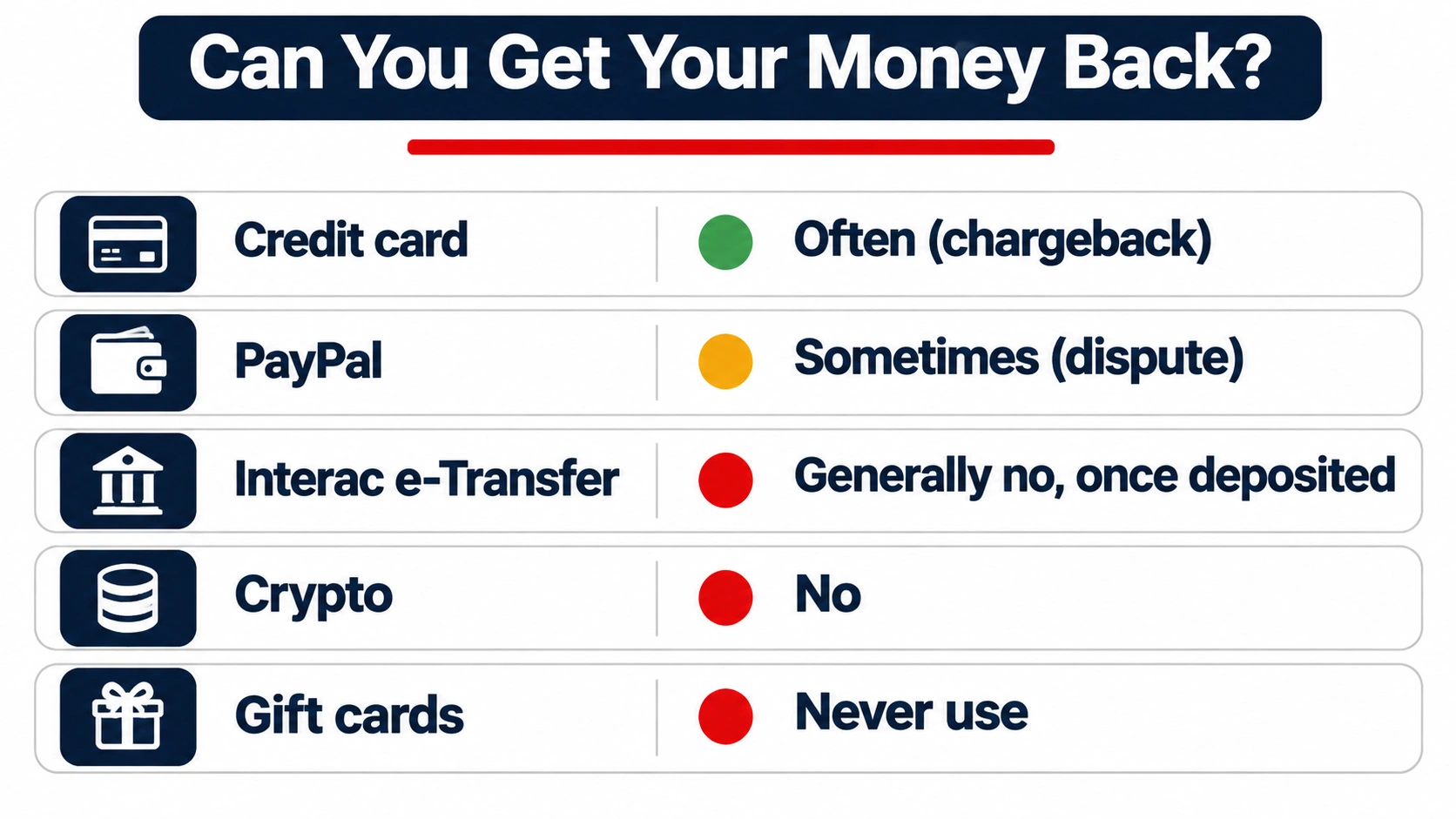
Most comparisons call every payment method “secure.” Security is only part of it. What really matters is what happens if the service stops working after you’ve paid. Here’s an honest comparison:
| Method | Shares your card details? | Can you reverse it? | What protects you |
|---|---|---|---|
| Credit card | With the payment processor | Often, through a chargeback with your card issuer | Card issuer’s dispute process |
| PayPal | No (PayPal handles it) | Sometimes, through PayPal’s dispute process | PayPal’s policies |
| Interac e-Transfer | No, it goes bank to bank | Generally no, once deposited | The provider’s refund policy |
| Cryptocurrency | No | No | The provider’s refund policy |
| Gift cards | – | No | Nothing. Never pay with gift cards |
About Interac e-Transfer: it’s popular in Canada because it moves money directly between bank accounts and the seller never sees your card number. But Interac itself notes that a sender cannot reverse an e-Transfer once the recipient has deposited it, and National Bank points out that e-Transfers aren’t covered by the “zero liability” protection that applies to credit cards. That doesn’t make it unsafe. It means your protection is the trial you took before paying and the provider’s written refund policy after.
Disclosure: IPTVCAD accepts Interac e-Transfer. That’s exactly why we offer a full 24-hour free trial before you pay anything, and a 7-day money-back guarantee after.
Payment safety rules
- Only pay after a successful trial.
- Double-check the recipient email or account before sending an e-Transfer.
- Never pay with gift cards, and be wary of crypto-only sellers.
- Never share bank logins or one-time codes with anyone, including “support.”
- Start with the shortest plan: $19 at risk is better than $200.
Where to Buy IPTV (and Where Not To)
| Where | What to expect | Verdict |
|---|---|---|
| The provider’s own website | Published prices, trial, refund policy, support contact | ✅ Best option |
| A reseller of another provider | Often cheaper, but support and refunds depend on the reseller, not the service behind it | ⚠️ Check who supports you if something breaks |
| Social media or Telegram messages | No website, no policy, payment by private message | ❌ Avoid |
| “Fully loaded” boxes on marketplaces | Hardware sold with channels pre-installed, no account or support | ❌ Avoid |
Buying directly from the provider means the people who run the service are the people who answer your questions and handle any refund.
Questions to Ask Support Before You Pay
Use your trial to ask these. How quickly and clearly they answer tells you a lot:
- How many devices can watch at the same time on this plan?
- Does the plan renew automatically?
- What’s your refund policy, and does it apply after the free trial?
- Which apps and devices do you support for my TV?
- How do I get help if a channel stops working, and how fast do you reply?
- Can I upgrade to more devices or a longer plan later?
Buying IPTV for Someone Else
Setting it up for parents or grandparents? A few tips make it much easier for them:
- Choose a device with a simple remote. A cable-style box (such as Formuler or BuzzTV) is easier for many people than a streaming stick.
- Set it up yourself first, add their favourite channels to favourites and hide the rest.
- Write down the login details and expiry date, and keep a copy yourself.
- Save the provider’s support contact on their phone.
- Buy the plan length that matches how often you can help with renewals. A 12-month plan means one renewal a year.
Step 6: What You Should Receive After Paying
A legitimate provider will send you, usually within minutes to a few hours:
- Login details: Xtream Codes (server URL, username, password), an M3U link, or MAG portal activation. Not sure which is which? Read IPTV login credentials explained.
- Your plan details: number of devices and expiry date.
- A support contact for setup help.
- A receipt or payment confirmation.
Keep all of this in one place, such as an email folder or a note on your phone. You’ll need it for setup, renewal and any support request.
Step 7: Set Up Your Devices
- Install your player app (for Fire TV, follow our Firestick setup guide).
- Enter your Xtream Codes or M3U link. Learn the difference in what M3U and Xtream Codes are.
- Let the channel list and TV guide load.
- Add favourites and hide channel groups you don’t need.
- Repeat on each device, staying within your plan’s screen limit.
Step 8: Plan Your Renewal
- Note your expiry date in your calendar.
- Renew a few days early to avoid a gap, especially before a big game.
- If the service has been reliable, switch to a longer plan at renewal to save money.
See our IPTV renewal tips for more.
If Something Goes Wrong After You Pay
- Check your setup first. Restart the device and router, and confirm the login details are entered correctly. Our guide to fixing IPTV that’s not working covers the common causes.
- Contact support with details: which device, which channels, what time, and a screenshot of any error.
- Give them a reasonable chance to fix it. Many issues are app or network settings.
- If it can’t be fixed, request a refund within the window stated in the refund policy, in writing, and keep the reply.
Red Flags That Mean “Don’t Buy”
- Pressure to buy a year immediately, with a countdown timer
- “Lifetime” subscriptions for a one-time fee
- Payment only by gift card, or crypto only
- No website, address, refund policy or support contact
- Prices far below the market (under about $5 a month)
- Unsolicited offers in private messages on Reddit, Facebook or Telegram
If you think you’ve been scammed, contact your bank right away and report it to the Canadian Anti-Fraud Centre. For why too-good-to-be-true offers fail, read the truth about free IPTV.
Your Pre-Purchase Checklist
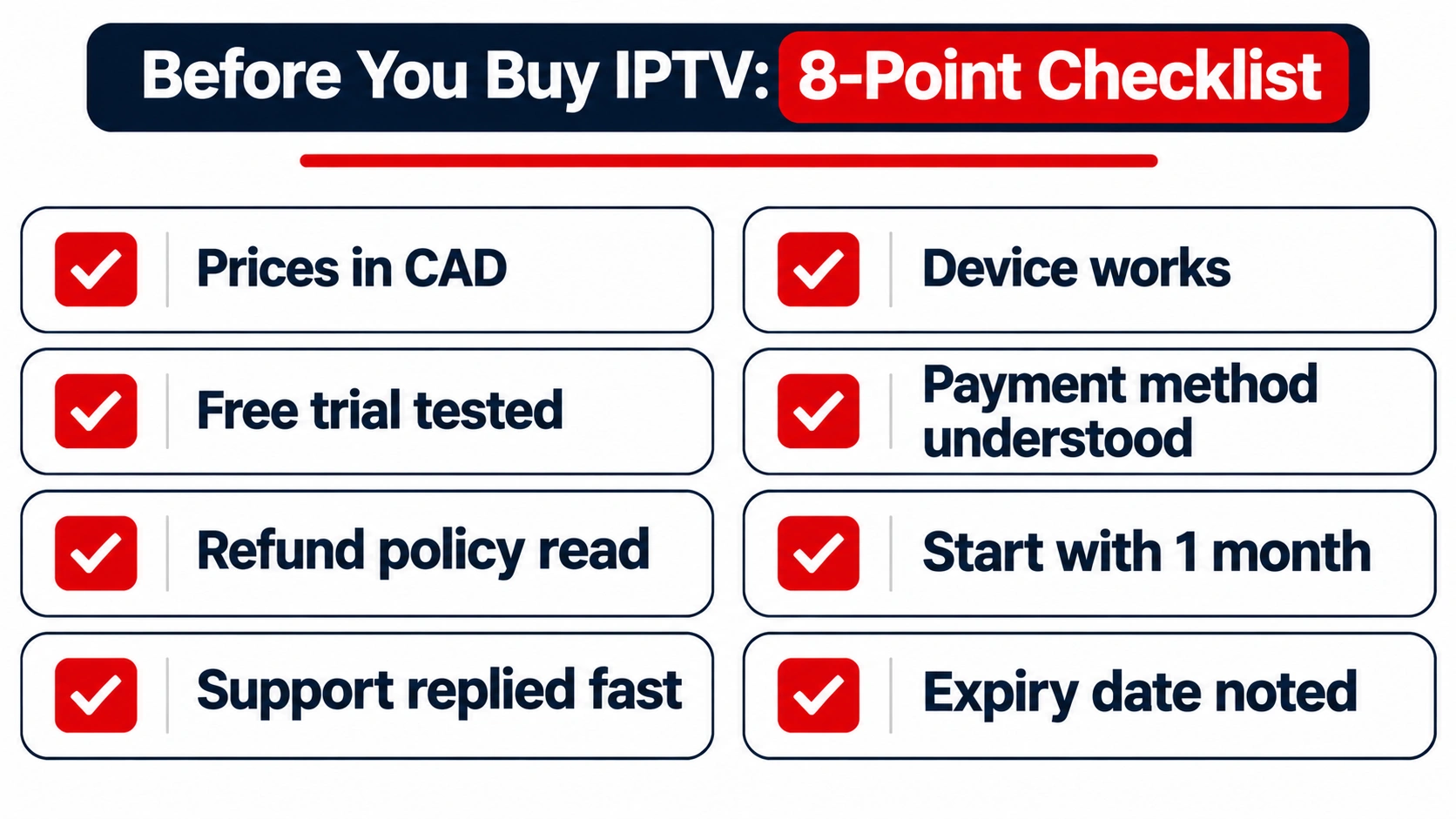
- ☐ Prices published in CAD
- ☐ Free trial completed during a busy evening
- ☐ Refund policy read, with a specific window
- ☐ Support answered a question quickly
- ☐ Device and app confirmed working
- ☐ Payment method chosen, and I understand its protection
- ☐ Starting with a 1-month plan
- ☐ Expiry date noted
How Buying From IPTVCAD Works
- Free trial: message us on WhatsApp for a 24-hour trial with full access, no credit card. Request your trial.
- Choose a plan: from $19 for one month or $79 for 12 months, for 1 to 4 devices.
- Pay by Interac e-Transfer.
- Get your login details and set up with our guides or 24/7 WhatsApp support.
- Covered by a 7-day money-back guarantee (refund policy).
See every option on our reliable IPTV service in Canada page.
A Note on Legality
IPTV technology is legal and used by every major Canadian telecom. Whether a particular service is legal depends on whether it has the rights to what it streams. We explain this in Can you use IPTV in Canada? This article isn’t legal advice.
Bottom Line
Buying IPTV safely in Canada comes down to order: check the provider, test with a free trial, read the refund policy, pay with a method you understand, start with a month, and keep your records. Do it in that order and the most you’ll ever risk is a single month. Ready? Start a free 24-hour trial with IPTVCAD.
Frequently Asked Questions
How do I buy an IPTV subscription in Canada?
Check the provider’s pricing, refund policy and business details, take a free trial during a busy evening, choose a 1-month plan, pay, then enter the login details you receive into your player app.
What is the safest way to pay for IPTV?
A credit card offers the most buyer protection because you can usually dispute the charge. Interac e-Transfer keeps your card details private but generally can’t be reversed once deposited, so only pay after a successful trial and with a written refund policy in place. Never pay with gift cards.
How much does an IPTV subscription cost in Canada?
Typically $15–$20 for one month and $60–$90 for a year on one device. IPTVCAD costs $19 for one month and $79 for 12 months.
How long does it take to get IPTV after paying?
Usually minutes to a few hours. You’ll receive Xtream Codes, an M3U link or MAG activation, along with your plan details.
Should I buy a 12-month IPTV plan first?
No. Start with a free trial and one month. Buy 12 months once the service has worked reliably, ideally at your first renewal.
What should I do if an IPTV seller scams me?
Contact your bank or card issuer immediately, keep all messages and receipts, and report it to the Canadian Anti-Fraud Centre.
Can I use one IPTV subscription on several devices?
You can install it on several devices, but only as many can watch at the same time as your plan allows. For two TVs at once, buy a 2-device plan.