
The best IPTV for seniors is the one that’s easiest to live with every day: a simple remote, large clear menus, captions that turn on with one button, the local channels and news they already know, and a fixed price that suits a retirement budget. Raw channel count matters far less. This guide is written for older Canadians and the adult children or grandchildren who set things up for them. It covers which devices are simplest, how to set up a “grandparent-proof” TV, what it really costs on a fixed income, and how to avoid the scams that target older viewers.
Key takeaways
- Pick the simplest device, not the cheapest: a voice remote and a clean home screen beat extra features.
- Set it up once with large text, captions, favourites and auto-start, then hide everything else.
- If a senior only watches local channels, the CRTC-mandated basic TV package (capped at $25 a month before equipment) or an antenna may be enough.
- Choose a provider with a free trial, clear prices in CAD and support that answers by message, so family can help.
- Never give remote access to a caller who says your TV or computer “has a problem”. That’s a well-known scam.
What Seniors Actually Need From an IPTV Service
Most “best IPTV” lists are written for sports fans and movie buffs. Older viewers usually want something different:
- Familiar channels: local news, national networks, French-language channels for Quebec viewers, game shows, classic movies and hockey.
- Simple navigation: a short list of favourite channels instead of scrolling through thousands.
- Readable screens: large text and high contrast.
- Captions: clear closed captions for anyone with hearing loss.
- Reliability: TV that simply works when it’s switched on.
- Patient support: help that a family member can contact on their behalf.
- A predictable bill: no surprise increases, box rentals or contract penalties.
The Simplest Devices for Older Viewers

| Device | Ease of use | Why it suits seniors | Watch out for |
|---|---|---|---|
| Smart TV app (Samsung, LG) | Very easy | One remote, no extra box or cables | App menus vary by TV model |
| Fire TV Stick with voice remote | Easy | Voice search, big home-screen tiles | Home screen shows lots of ads and suggestions |
| Google TV streamer or Android TV box | Easy | Voice remote, can pin favourite apps first | Initial setup needs a Google account |
| Formuler or MAG box | Moderate | Feels like a cable box, with a channel guide | Extra remote and box to manage |
| Tablet or iPad | Easy for tablet users | Good for watching in bed or the kitchen | Small screen |
If the senior already has a recent smart TV, start there: one remote is always easier than two. Otherwise, a streaming stick with a voice remote is the next best choice. Saying “open IPTV Smarters” is easier than hunting through menus. Our guides to setting up IPTV on a smart TV and choosing the best IPTV box in Canada go further.
The “Grandparent-Proof” Setup Checklist
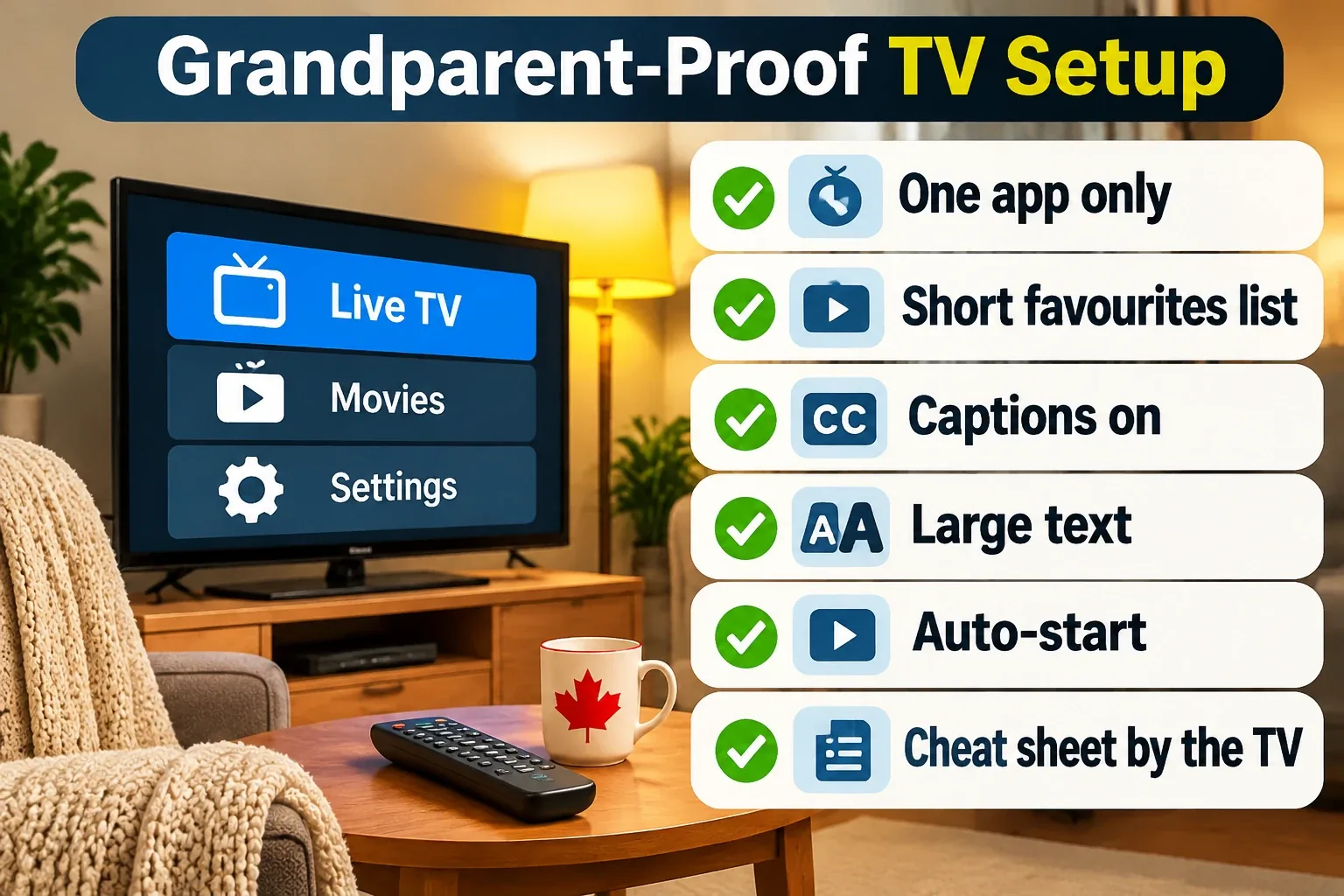
Set everything up once, ideally in person, so the senior only ever sees what they need. Here’s the checklist we recommend for family members:
- Install one IPTV app only. Remove or hide other apps from the home screen so there’s nothing to get lost in.
- Log in and save the details. Write the username, password and server URL on a card and keep it somewhere safe, not taped to the TV.
- Build a short favourites list. Add their 10 to 20 most-watched channels in the order they like. This is the single biggest improvement you can make.
- Turn on captions in both the TV’s settings and the player app if they have any hearing loss.
- Increase text size. Most TVs and streaming devices have a large-text or magnification option in their accessibility settings.
- Set the guide to their time zone so shows appear at the right time.
- Turn on auto-start (if the device allows it) so the IPTV app opens when the TV is switched on.
- Hide adult categories with a PIN. See our parental controls guide.
- Connect by Ethernet if you can, or place the router close to the TV, to avoid random buffering.
- Write a one-page cheat sheet: “Press Home, choose IPTV, choose Favourites.” Add the support contact at the bottom.
Captions, Described Video and Accessibility
Captions are one of the most important features for older viewers. The CRTC explains that closed captioning makes TV programs accessible for people who are deaf or hard of hearing by translating audio into on-screen text. Described video, which narrates what’s happening on screen, helps viewers who are blind or partially sighted. The CRTC’s accessibility and TV page explains these features and how to make a complaint.
With IPTV, whether captions appear depends on the original broadcast, the player app and the device. Practical tips:
- Turn captions on in the TV or streaming device’s accessibility menu first.
- In apps like IPTV Smarters or TiviMate, look for a subtitles or CC option during playback.
- Test captions on the channels the senior watches most during the free trial.
- For hearing loss, Bluetooth headphones or a TV sound bar with a speech or dialogue mode can help as much as captions.
What It Costs on a Fixed Income
Many seniors keep paying for a large cable package out of habit. Before switching, ask one simple question: what do they actually watch?
| Viewing habits | Lowest-cost option to consider |
|---|---|
| Only local news and a few national networks | An over-the-air antenna (free after purchase) or the provider’s basic package |
| Local channels plus a handful of specialty channels | A basic package with a few pick-and-pay channels, or IPTV |
| Broad lineup: news, sports, movies, international channels | IPTV usually costs far less than a full cable package |
The CRTC requires licensed TV providers to offer an affordable basic TV package that costs no more than $25 a month, not including equipment. Box rentals and add-ons push the real bill higher. For local channels only, an antenna may cost nothing per month at all. Our guide on IPTV vs an OTA antenna compares the two.
For a wider lineup, IPTV is usually the better value. With IPTVCAD, one device costs $19 for a month, $49 for 6 months or $79 for a full year, with no box rental and no contract. Couples watching on two TVs can choose a 2-device plan from $29 a month or $129 a year. See all options on our multi-screen plans page.
How Family Members Can Help From a Distance
Many seniors rely on a son, daughter or grandchild who lives elsewhere. A few habits make remote help easy:
- Keep the account in a family member’s care with the senior’s agreement, so renewals and support go through one person.
- Use messaging support. A provider that answers on WhatsApp lets a family member send screenshots and sort out problems without long phone calls.
- Save a photo of the setup screen (where the login details go) so you can guide them over the phone if the app ever logs out.
- Teach one reset step: unplug the streaming device for 30 seconds and plug it back in. This fixes many problems. Our IPTV troubleshooting guide covers the rest.
- Set a renewal reminder on your own phone before the plan expires.
Protecting Seniors From TV and Streaming Scams
Older Canadians are frequent targets for fraud. Ontario’s guide for seniors notes that in 2022 the Canadian Anti-Fraud Centre received reports totalling $530 million in victim losses, about 26% of them from seniors, who lost on average 33% more than other age groups (Ontario.ca).
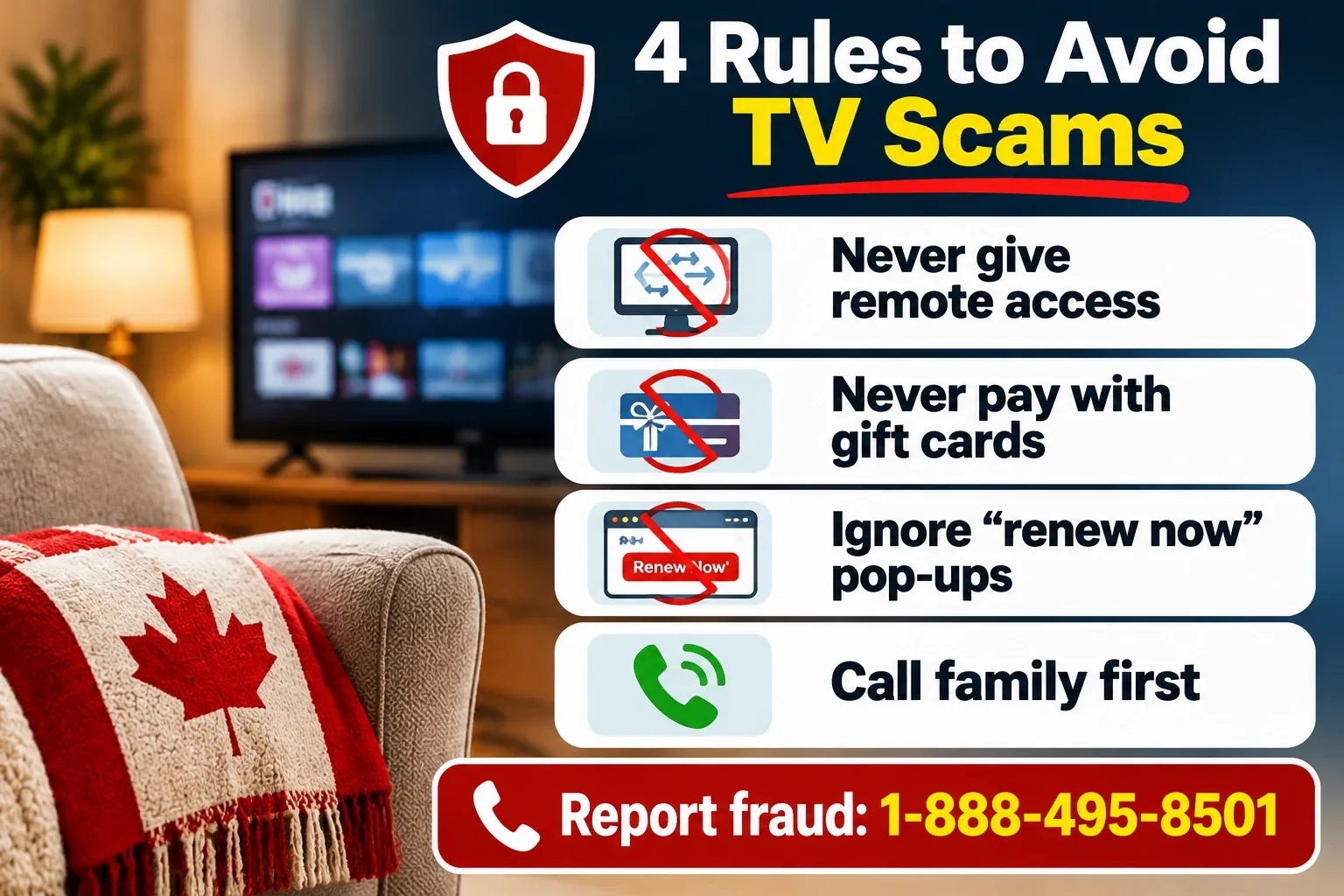
Streaming brings its own scams. The Government of Canada’s Get Cyber Safe program warns about tech support scams, where criminals pretend to be from well-known companies, claim they found a problem with your device and ask for remote access. Share these rules with any senior using IPTV:
- Never give remote access to someone who calls or messages out of the blue about your TV, computer or account.
- Never pay with gift cards or cryptocurrency. Legitimate services don’t ask for them.
- Don’t trust pop-ups that say the TV or device is infected or the subscription “must be renewed now”.
- Check with family first before paying for anything new.
- Report suspected fraud to the Canadian Anti-Fraud Centre at 1-888-495-8501.
Our guide to IPTV scams in Canada covers the warning signs of fake providers, and how to pay for IPTV safely explains why traceable payments like Interac e-Transfer are safer than gift cards.
Questions to Ask Before Choosing a Provider
- Is there a free trial so we can test it on their TV first?
- Are prices listed clearly in Canadian dollars?
- Is there a refund window if it doesn’t work out?
- Does the lineup include their local channels and favourite networks?
- Can a family member contact support on their behalf?
- Which apps and devices do you recommend for someone who isn’t tech-savvy?
- How do renewals work, and will I be charged automatically?
How IPTVCAD Works for Seniors
IPTVCAD is our own service, so here’s the honest picture. We offer 25,000+ live channels, including Canadian news and local channels in English and French, plus 120,000+ movies and series for quiet evenings. Our service works on Samsung and LG smart TVs, Firestick, Android TV and Google TV, MAG and Formuler boxes, iPad and more.
- A 24-hour free trial with no credit card, so family can test it on the senior’s own TV.
- Support 24/7 on WhatsApp, which makes it easy for a son, daughter or grandchild to get help on their behalf.
- Payment by Interac e-Transfer from a Canadian bank, with no automatic renewals.
- A 7-day money-back guarantee.
- No contract and no box rental. Plans start at $19 a month.
When you’re ready, compare our IPTV subscription plans and pick the length that fits their budget.
Bottom Line
For seniors, the best IPTV is simple, readable and predictable. Choose the easiest device, set it up once with captions, large text and a short favourites list, and keep support within reach of a family member. If they only watch local channels, a basic package or antenna may be all they need. For a broader lineup at a fraction of cable’s cost, test an IPTV service with a free trial on their own TV, and teach them the golden rule: never give remote access or gift cards to anyone who calls about the TV.
Frequently Asked Questions
What is the best IPTV for seniors in Canada?
The best option is the one that’s easiest to use every day: a simple device with a voice remote, a short favourites list, working captions, local channels and support a family member can contact. Test it with a free trial on the senior’s own TV before paying.
What is the easiest streaming device for elderly people?
A smart TV with the IPTV app installed is easiest because it uses one remote. If the TV isn’t smart, a streaming stick or Google TV device with a voice remote is the next simplest choice.
Can seniors get closed captions on IPTV?
Often, yes. Captions depend on the original broadcast, the app and the device. Turn them on in the TV or device accessibility settings and in the player app, then test the channels the senior watches most.
Is IPTV cheaper than cable for retirees?
For a broad lineup, usually yes. IPTVCAD starts at $19 a month or $79 a year for one device with no box rental. If a senior only watches local channels, an antenna or the CRTC-mandated basic package (capped at $25 a month before equipment) may be cheaper still.
How can I set up IPTV for my parents remotely?
Set it up in person once if you can, save the login details, build a favourites list and write a short cheat sheet. Choose a provider with messaging support so you can sort out problems from a distance.
How do I protect an older relative from streaming scams?
Tell them never to give remote access, gift cards or cryptocurrency to anyone who calls about their TV or computer. Ask them to check with family before paying for anything new, and report scams to the Canadian Anti-Fraud Centre at 1-888-495-8501.