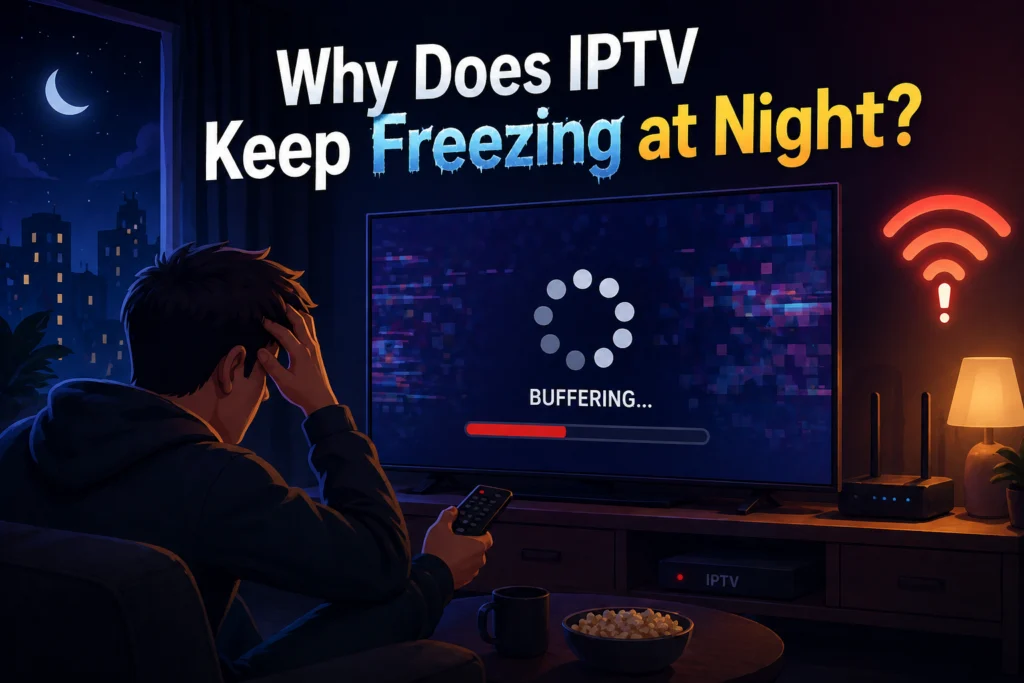
You sit down after a long day of work, grab the remote, and turn on your favorite live sports or TV show. During the day, your IPTV service works flawlessly. The picture is crisp, and the stream never stutters. But as soon as the sun goes down and prime time hits, the dreaded buffering circle appears. Your screen freezes, jumps, and completely ruins the viewing experience.
This nightly freezing is incredibly frustrating, but you are not alone. It is a known pattern across the streaming community, and there is a very logical explanation for why it happens. The timing of these interruptions is no coincidence, usually tying back to how internet traffic and server loads change as people get home from work.
The good news is that most of these nightly streaming issues can be resolved. By understanding the root causes of the problem, you can take specific steps to stop the buffering. Below, we explain exactly why your IPTV service keeps freezing at night and walk you through the most effective fixes.
The Real Reason: Network Congestion (Peak Hours)
The most common culprit for nighttime freezing is simple network congestion. Think of your internet connection like a major highway. At 2:00 PM on a Tuesday, the roads are mostly empty, allowing traffic to flow at top speeds. But between 7:00 PM and 11:00 PM, rush hour hits.
During these peak hours, everyone in your neighborhood is streaming movies, downloading updates, and playing online games. Internet Service Providers (ISPs) often struggle to handle this massive surge in traffic. To manage the load, they may intentionally slow down—or throttle—certain types of heavy data usage.
You might wonder why Netflix or YouTube still works fine while your IPTV buffers. Giant tech companies use Content Delivery Networks (CDNs) with localized servers right in your city, plus advanced algorithms that pre-load video segments. Live IPTV streams, on the other hand, require a continuous, real-time connection to a server that might be located across the globe. This makes IPTV far more sensitive to network congestion.
In Canada, major providers like Bell, Rogers, and Videotron are known to manage heavy traffic loads during evening hours. If you notice your stream consistently dropping right around 8:00 PM, ISP throttling or regional network congestion is highly likely.
Your Home Wi-Fi Gets Overloaded at Night
Sometimes, the traffic jam is happening inside your own house. As evening approaches, the number of active devices in your home usually increases. Someone might be scrolling on their phone, another person could be gaming on a laptop, and smart home devices are running in the background. All of these gadgets are fighting for the same Wi-Fi bandwidth.
Furthermore, your neighbors are doing the exact same thing. If you live in an apartment building or a densely populated neighborhood, dozens of Wi-Fi routers are suddenly broadcasting heavily on the same wireless channels. This causes signal interference, which degrades your connection quality.
Hardware fatigue is another factor. By 8:00 PM, your router has been running continuously all day. Older or cheaper routers can overheat or struggle to process high volumes of data after hours of constant use. Finally, if your TV is far from the router, the combination of distance and nighttime interference will make a wireless connection highly unstable.
Your IPTV Server Is Under More Load at Night
Just as your local internet gets crowded, the actual server hosting your IPTV service is also under maximum strain. Prime time means most subscribers are logging on to watch the exact same live events or popular channels.
Many cheaper IPTV providers oversell their services to maximize profits. They sign up thousands of users without paying for the expensive server capacity required to support them all at once. When evening hits, the server simply cannot output enough data to keep everyone’s stream running smoothly.
You can usually tell the difference between server overload and your own internet being slow. If your speed tests look great, but specific high-demand channels (like a major pay-per-view sporting event) are looping and freezing, the provider’s server is likely overwhelmed.
How to Tell Where the Problem Is Coming From
Before you start unplugging cables, take a few minutes to isolate the problem. Start by running a speed test during the day when your IPTV works perfectly, and record the results. Run the same test at night when the freezing occurs. A massive drop in speed points to ISP congestion.
Next, try testing your connection on an Ethernet cable instead of Wi-Fi. If the freezing stops completely, you know your home wireless network is the bottleneck.
You should also open another streaming app on the same device, like YouTube, and play a high-quality video. If YouTube runs perfectly while your IPTV app freezes, your home internet is likely fine, and the issue points toward the IPTV provider’s servers. Finally, reach out to your provider’s support team to ask if they are currently experiencing server issues on their end.
Fixes You Can Do Right Now

If you want to stop the buffering tonight, there are several immediate steps you can take to improve your stream.
Switch to an Ethernet Cable
Wi-Fi is convenient, but it is highly susceptible to interference. Run a physical Ethernet cable from your router directly to your IPTV box or smart TV. A wired connection guarantees maximum speed and stability.
Restart Your Equipment Before Prime Time
Give your hardware a fresh start. About an hour before you plan to watch TV, unplug your router and your IPTV device from the power outlet for a full minute, then plug them back in. This clears out temporary memory and helps the router run cooler.
Change Your Wi-Fi Channel
If you must use Wi-Fi, log into your router’s admin settings and change the wireless channel. Most routers default to the same few channels. Switching to a less crowded channel can instantly bypass neighborhood interference.
Lower the Stream Quality
Streaming in 4K or 1080p requires significant bandwidth. Many IPTV apps allow you to manually select the stream quality. Temporarily dropping the resolution down to 720p reduces the data load and often eliminates buffering entirely.
Use a VPN
If your ISP is throttling your connection during peak hours, a Virtual Private Network (VPN) can help. A VPN encrypts your internet traffic, hiding your activity from your ISP. If they cannot see that you are streaming heavy video files, they are much less likely to throttle your speeds.
Clear the App Cache
Over time, your IPTV app accumulates junk data that slows down performance. Go into your device’s application settings, locate your IPTV app, and clear the cache.
Adjust Buffer Settings
Many premium IPTV players (like TiviMate or Smarters) allow you to change the buffer size. Increasing the buffer setting tells the app to download a larger chunk of the video before playing it. This creates a cushion that prevents freezing if your internet speed temporarily dips.
Long-Term Fixes Worth Considering
If the quick fixes don’t permanently solve the issue, you may need to look at more permanent upgrades.
Start by reviewing your current internet plan. Live streaming requires consistent, high-speed data. If your base package offers low download speeds, upgrading to a faster tier might be necessary.
You should also look at your hardware. If your router is more than a few years old, it might lack the processing power to handle modern streaming demands. Upgrading to a modern mesh Wi-Fi system or a high-end router can transform your home network. Additionally, running an IPTV app natively on a smart TV is often sluggish due to the TV’s weak internal processor. Buying a dedicated, wired streaming device like an Nvidia Shield or an Amazon Fire TV Cube provides far better performance.
When to Contact Your IPTV Provider
Sometimes, the fault lies entirely with the service you are paying for. If your internet speeds are excellent, your device is wired via Ethernet, and you are using a VPN, yet the stream still freezes at night, the provider is likely at fault.
Contact their support team and ask specific questions. Inquire about their server locations, their bandwidth allocation per user, and their uptime guarantees. A reputable provider will give you transparent answers.
Pay attention to red flags. If they take days to respond, blame your internet without offering troubleshooting steps, or if the service goes down constantly during major sporting events, it is time to look for a new service.
Enjoy Smooth Streaming All Evening
Dealing with nightly buffering is a headache, but it usually comes down to three main causes: ISP network congestion, an overloaded home Wi-Fi setup, or a cheap IPTV provider struggling with server load. By testing your speeds, switching to a wired connection, and utilizing tools like a VPN, you can resolve the vast majority of these issues.
Most cases of nighttime freezing are entirely fixable. However, if you have exhausted all troubleshooting steps and still face buffering, the issue is likely your provider’s server capacity. If you are tired of struggling with evening congestion, consider switching to a premium IPTV Subscription. Our IPTV canada is built on high-capacity servers designed specifically to handle peak hour traffic, ensuring your favorite shows and sports run smoothly from day to night.