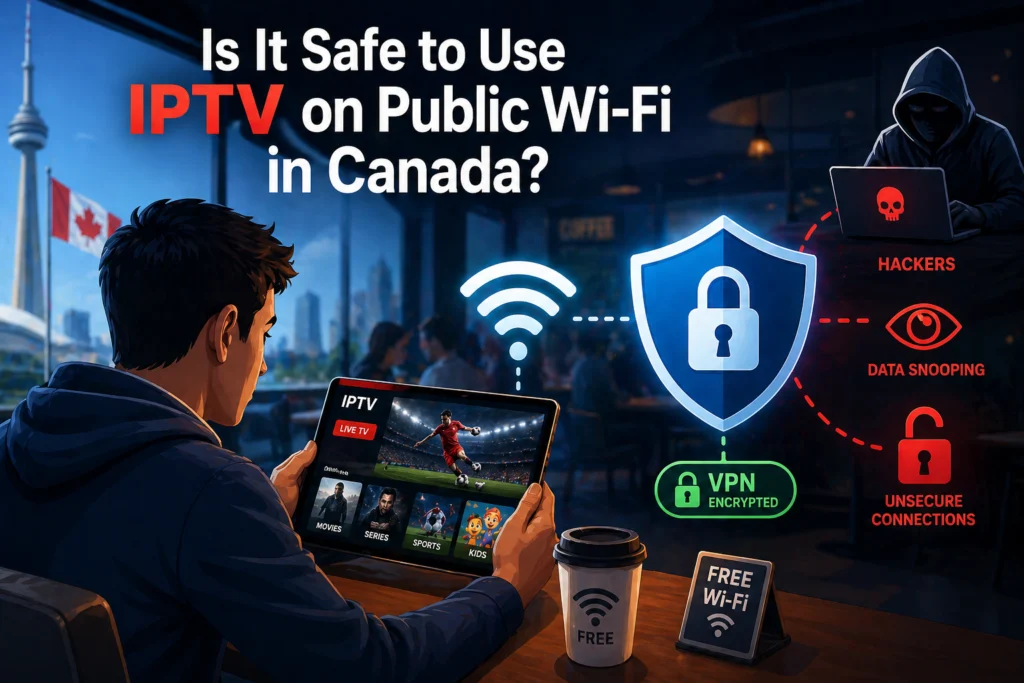
You settle into a chair at a bustling coffee shop or find a quiet corner during a layover at Pearson Airport. The big game is about to start, or maybe you just want to catch up on your favorite show. You pull out your phone, connect to the free internet, and open your IPTV app. It seems like a harmless and convenient way to pass the time.
Public Wi-Fi is everywhere in Canada. You can find open networks in nearly every mall, hotel, and restaurant from coast to coast. However, this convenience comes with serious security risks that most people completely ignore. When you connect to an open network to watch your favorite channels, you might be broadcasting your personal information to anyone with the right tools.
We will explain the real dangers lurking on open internet connections, detail exactly who can see your data, and provide a comprehensive guide on how to protect yourself. By the end of this guide, you will know how to secure your device and stream safely from anywhere.
How Public Wi-Fi Actually Works
Your home Wi-Fi router acts like a secure, locked house. You control who comes in, and the traffic between your devices and the internet is hidden behind a private network. Public Wi-Fi operates entirely differently. It functions more like a crowded public park where anyone can sit on the bench next to you and listen to your conversations.
Many users mistakenly believe that a password-protected public network is secure. If the barista hands you a password to log in, you might feel safe. Unfortunately, that password only encrypts the connection between your device and the router. Everyone else sitting in that cafe has the exact same password. Because you are all sharing the same network keys, anyone with malicious intent on that same network can potentially intercept the data you send and receive.
This shared environment is common across the Canadian landscape. Whether you are using the free internet at Tim Hortons, logging into a hotel network, studying at a local library, or waiting at an airport, you are sharing a digital space with hundreds of strangers.
The Real Risks of Using IPTV on Public Wi-Fi
Streaming live television might not seem like a high-risk activity. You are just watching a screen, after all. But the background processes your app uses to authenticate your account and stream content expose you to several specific cyber threats.
Man-in-the-Middle Attacks
A Man-in-the-Middle (MitM) attack is exactly what it sounds like. A hacker intercepts the communication between your device and the network router. Instead of your data going directly to the IPTV server, it goes through the attacker’s computer first.
In plain language, it is like handing a sealed letter to a stranger to deliver for you. The stranger can open the letter, read the contents, reseal it, and pass it along without you ever knowing. During a MitM attack, hackers can steal your login credentials, intercept your payment information, and access your account details.
Packet Sniffing
Whenever you do anything online, your device sends and receives small chunks of data called packets. Packet sniffing occurs when someone on the same network uses software to monitor and record these data packets.
If your streaming app uses unencrypted traffic, your login credentials travel through the air as plain text. To a packet sniffer, your username and password look exactly as you typed them. Hackers do not need deep technical expertise to pull this off anymore. They can simply download free, readily available sniffing tools to capture data from anyone sharing their network.
Fake Hotspots (Evil Twin Attack)
This is one of the most deceptive methods hackers use. An attacker will set up their own Wi-Fi router and give it a familiar name, such as “Tim Hortons Free WiFi” or “Airport Guest Network.” This is known as an Evil Twin attack.
Your phone or tablet sees a familiar network name and automatically connects to it without asking for your permission. Once you are connected to the hacker’s fake hotspot, every single piece of data you send or receive runs directly through their equipment. Everything you do becomes entirely visible to the attacker.
Session Hijacking
When you log into your streaming app, the server gives your device a temporary “session token.” This token keeps you logged in so you do not have to type your password every time you change the channel.
Attackers can steal this active session token over an unsecured network. Once they have your token, they can trick the server into thinking their device is yours. They can use your subscription, kick you off your own stream, or change your account credentials.
Malware Injection
Public networks can also be manipulated to push malicious software onto your devices. A hacker can inject malware into the data stream, causing a fake pop-up to appear on your screen urging you to install an “update” for your streaming app.
This presents a massive risk to dedicated streaming devices like a Firestick, an Android box, or your smartphone. Once malware infects your device, the attacker can track your keystrokes, steal your data, or turn your device into part of a botnet.
What Specific Data Is at Risk With IPTV on Public Wi-Fi
When you stream without protection on a shared network, you risk exposing multiple layers of personal data. The most immediate threat is the theft of your IPTV username and password.
If you decide to renew your subscription or sign up for a new service while sitting at a cafe, you risk exposing your credit card numbers and billing address. Hackers can also view your streaming history and viewing habits. Furthermore, the network exposes your device’s IP address and your physical location, alongside any other personal information tied to your account profile.
Does Your IPTV App Encrypt Its Traffic?
Encryption scrambles your data into an unreadable code before it leaves your device. Only the receiving server has the key to unscramble it.
The industry standard for secure web traffic is HTTPS (Hypertext Transfer Protocol Secure). Unfortunately, many third-party streaming apps still rely on basic HTTP, which lacks this vital encryption layer. When an app uses HTTP, all data—including passwords—is sent in plain text.
You can sometimes check this by looking at the login URL if you are using a web browser, but it is much harder to verify within a dedicated smart TV or mobile app. Even if your app uses encryption, clever attackers can use downgrade attacks to strip the encryption away on a public network.
Is It Legal to Use IPTV on Public Wi-Fi in Canada?
Using a legitimate streaming service on a public network is perfectly legal in Canada. The legal risks associated with streaming do not stem from the Wi-Fi network itself, but rather from the nature of the service you are using.
It is always important to distinguish between fully licensed streaming providers and unlicensed services. Regardless of legality, many legitimate providers explicitly outline in their terms of service that their product is meant for home use only. If you use the service across various public networks, the provider might flag your account for account sharing and suspend your access.
How to Protect Yourself — Complete Safety Guide
You do not have to give up streaming on the go entirely. You simply need to take proactive steps to secure your connection.
Use a VPN (Most Important Step)
Using a Virtual Private Network (VPN) is the single most important action you can take. A VPN creates a secure, encrypted tunnel between your device and the internet. When you turn on a VPN, it scrambles all your data before it even leaves your phone or tablet. Even if a hacker is sniffing packets or running an Evil Twin network, all they will see is an unbreakable stream of gibberish.
When streaming in Canada, look for a premium VPN that offers fast speeds and servers located close to you. You should absolutely avoid free VPNs. Free services often suffer from slow speeds that cause constant buffering. Worse, many free VPNs actually track your data and sell it to third parties, which completely defeats the purpose of using one.
Use Your Mobile Data Instead
When an open network feels too risky, simply turn off your Wi-Fi and use your 4G or 5G mobile data. Cellular networks are heavily encrypted by telecommunications companies and are vastly more secure than a random cafe hotspot.
Canadian mobile data plans have become much more generous in recent years. If you have an unlimited data plan, or a large data bucket, streaming an hour or two of live sports will not cause any issues. Furthermore, LTE and 5G speeds frequently outperform congested public Wi-Fi networks, giving you a smoother viewing experience.
Enable Two-Factor Authentication
If your streaming provider offers Two-Factor Authentication (2FA), enable it immediately. 2FA requires you to enter a secondary code sent to your phone or email when logging in. Even if a hacker manages to steal your password on an open network, they cannot access your account without that secondary code.
Keep Your IPTV App Updated
Software developers constantly release updates to patch known security vulnerabilities. If you run an outdated version of an app, hackers can exploit those old flaws to access your device. Make a habit of enabling automatic updates on your Firestick, Android box, or iPhone to ensure you always have the latest security patches.
Forget the Network After Use
Devices are programmed to be helpful by automatically reconnecting to networks you have used before. This is a massive security hazard. If your phone remembers “Airport Free Wi-Fi,” a hacker can set up a fake network with that exact name in your local mall, and your phone will connect to it silently in your pocket. Always go into your device settings and choose “Forget This Network” immediately after you finish streaming.
Avoid Account or Payment Activity on Public Wi-Fi
You should never renew your subscription, update your credit card, or change your account details while connected to a shared network. Even checking your basic account settings can trigger the app to send your credentials over the air. Save all administrative tasks and financial transactions for when you are safely back on your home internet.
Is a VPN Enough to Make Public Wi-Fi Safe for IPTV?
Yes, a high-quality paid VPN is the single most effective tool for making public internet safe. It shields you from packet sniffing, MitM attacks, and session hijacking.
However, encryption does add a small amount of processing overhead, which means a VPN can slightly reduce your internet speed. To prevent buffering, choose a top-tier VPN provider known for streaming performance. Selecting a VPN server located in your own country—such as a server in Toronto, Montreal, or Vancouver—will ensure the fastest possible connection while keeping your data locked down.
Public Wi-Fi Safety by Location — Canadian Context
Not all public networks carry the exact same level of risk. Your environment dictates how cautious you need to be.
- Airports (YYZ, YVR, YUL): These are high-risk environments. Millions of travelers pass through these hubs, making them prime targets for cybercriminals setting up Evil Twin networks or sniffing traffic.
- Hotels: These carry a moderate risk. While they usually require a password and room number to log in, you are still sharing that network with hundreds of other guests in the building.
- Coffee Shops (Tim Hortons, Starbucks): These pose a moderate to high risk. They are heavily trafficked and the network passwords rarely change, making it easy for hackers to monitor data for hours.
- Libraries and Universities: These networks are generally safer due to better IT management, but they remain shared spaces where interception is possible.
- Shopping Malls: Mall networks are incredibly high risk. They are usually completely open, unsecured, and cover a massive physical footprint.
What to Do If You Think Your IPTV Account Was Compromised
If you notice strange activity—like channels you never watch appearing in your recent history, or getting bumped off your stream because your account is “in use on another device”—someone else likely has your login.
First, immediately change your password. If your provider has an online portal, navigate to the security settings and force a logout on all active sessions. Next, contact your provider’s support team to let them know your credentials were compromised. You should also check your bank statements to ensure no unauthorized subscription charges were made if your payment information was stored in the app. Finally, invest in a reliable VPN to ensure your newly secured account stays safe going forward.
Take Control of Your Streaming Security
Using an IPTV subscription on public Wi-Fi inherently carries risks, but those risks are entirely manageable when you take the right precautions. Connecting blindly to open networks exposes your credentials, viewing habits, and payment details to anyone with basic hacking tools.
A premium VPN is absolutely non-negotiable if you plan to stream away from home. When a VPN is not an option, simply switching to your mobile data will keep you out of harm’s way. Be smart about your connections, keep your software updated, and never conduct account transactions in public spaces.
If you are looking for a secure streaming experience, our service works seamlessly with all major VPN providers across every popular device, ensuring you can enjoy your favorite content safely, anywhere in the world.
FAQ Section
Can someone steal my IPTV login on public Wi-Fi?
Yes. If you connect to an open network without a VPN, hackers on the same network can use packet sniffing tools to intercept your username and password as they travel through the air.
Is it safe to watch IPTV at a hotel in Canada?
Hotel networks are moderately risky. Even though you need a password to access the internet, you share that network with hundreds of other guests. Using a VPN is highly recommended to secure your connection in any hotel room.
Does a VPN slow down IPTV streaming on public Wi-Fi?
A VPN can slightly reduce your speed because of the encryption process. However, if you use a premium VPN and connect to a local Canadian server, the speed drop is usually unnoticeable and will not cause buffering.
Can I use IPTV on my phone’s mobile data instead of public Wi-Fi?
Absolutely. Using your 4G or 5G mobile data is significantly safer than using a public hotspot. Cellular networks have built-in encryption that protects your data from local hackers.
What is the safest way to use IPTV outside my home?
The safest method is to use a paid, high-quality VPN whenever you connect to a shared network. Combine this with turning off automatic network connections and avoiding any payment updates while in public.
Can I get hacked just by watching IPTV on public Wi-Fi?
Yes. Hackers can use Man-in-the-Middle attacks to steal your active session token, or use fake hotspots to push malware directly to your device while you stream.