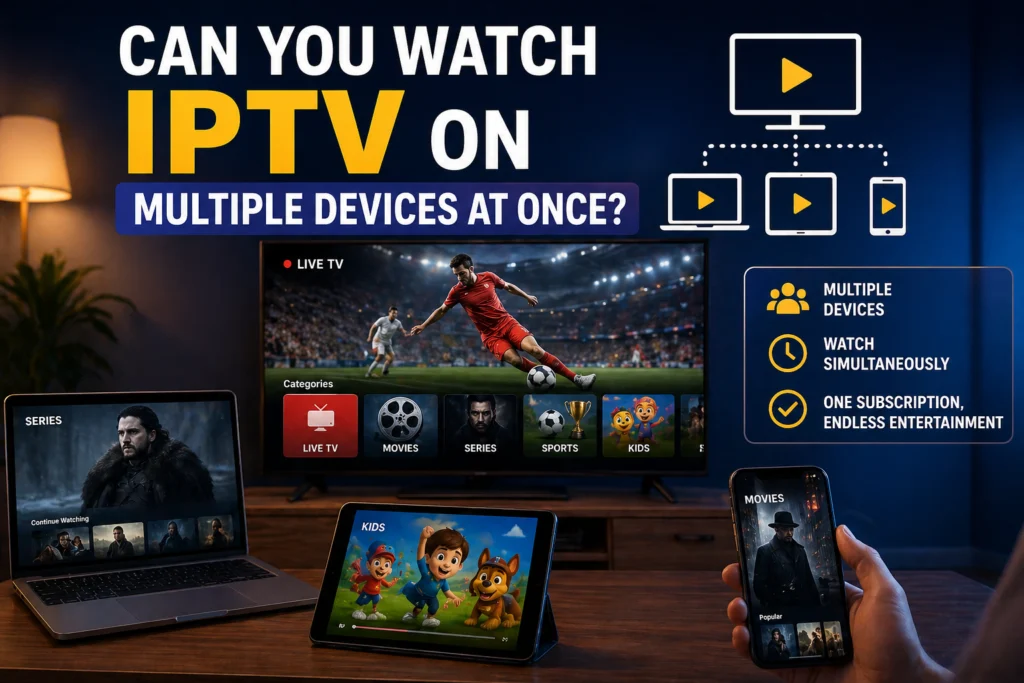
It is Friday night in a busy Canadian household. One person wants to catch the Maple Leafs game in the living room, another is trying to watch a movie on their tablet, and the kids are firing up cartoons in the basement.
With traditional cable, this scenario usually means paying a hefty rental fee for every extra set-top box in the house. Those fees add up quickly, making your monthly bill far more expensive than advertised. Internet Protocol Television (IPTV) offers a far more flexible approach to home entertainment, allowing you to stream your favorite channels without being tied to expensive, proprietary hardware.
But replacing cable with a digital alternative brings up a common technical question: can everyone in the house watch what they want at the same time? The short answer is yes, but it requires understanding exactly how your subscription handles multiple users.
If you are tired of fighting over the remote, we are going to explain exactly how multi-device IPTV works, what the limits actually mean, and how to set up your home network for flawless streaming across every screen.
1. How Multi-Device IPTV Actually Works
When you watch a channel through an IPTV service, your device opens a direct connection to the provider’s server to download the video feed. Every active stream requires its own separate connection.
In the IPTV world, providers use the term “simultaneous connections” to define how many active streams your account can handle at the exact same moment. Providers limit these connections to prevent server overload and to stop users from broadcasting their single subscription to hundreds of people.
It is crucial to understand the difference between device installations and active connections. You can usually install your IPTV app and enter your login details on as many devices as you want. The provider does not care if the app sits quietly on ten different screens. The restriction only applies when you actually press play.
2. What Is a “Multi-Connection” IPTV Subscription?
When you sign up for a service, you will typically choose between a single-connection plan or a multi-connection plan.
A single-connection plan is exactly what it sounds like: it allows for one active stream at a time. If you are watching on the living room TV and someone else in the house tries to open the app on their phone, the system will recognize two connection attempts. Usually, this results in the first person getting kicked off the server, or the second person receiving an error message.
Multi-connection plans solve this problem by granting your account the bandwidth to pull two, three, four, or even five streams simultaneously. Pricing scales based on the number of connections you need.
Here is a quick look at how these plans generally compare:
| Feature | Single Connection Plan | Multi-Connection Plan (3 Connections) |
| Best For | Single users or couples sharing one TV | Families, roommates, multi-TV households |
| Simultaneous Streams | 1 | 3 |
| App Installations | Unlimited | Unlimited |
| Price | Base price (lowest cost) | Base price + small premium per extra connection |
| Viewing Experience | Interruptions if someone else logs in | Everyone watches independently |
3. How Many Devices Can You Really Use?
The average Canadian household now has between four and six streaming-capable devices, counting smart TVs, laptops, tablets, and smartphones. You can absolutely install your IPTV application on every single one of them.
Let’s say you purchase a plan with two simultaneous connections. You can install the software on your smart TV, your iPhone, your iPad, and your laptop. You are free to watch the TV and use the iPad at the same time. However, if a third family member tries to start streaming on the laptop while the TV and iPad are active, you will hit your limit.
Exceeding your connection limit usually triggers an immediate response from the provider’s server. You might experience sudden buffering, see an “account in use” error message on the new device, or the server might abruptly disconnect the device that logged in first.
4. What Devices Can You Watch IPTV On?
One of the main reasons Canadians are cutting the cord is the sheer hardware flexibility IPTV offers. You are not forced to rent a clunky box. You can watch on the devices you already own, including:
- Smart TVs: Samsung and LG have native apps available in their app stores.
- Streaming Sticks: Amazon Firestick and Fire TV are incredibly popular and cost-effective.
- Set-Top Boxes: Dedicated Android TV boxes provide excellent processing power.
- Mobile Devices: iPhones, iPads, Android phones, and Android tablets.
- Computers: Windows and Mac laptops or desktops via web players or desktop apps.
- Premium Streamers: Apple TV and Roku.
- Gaming Consoles: PS5 and Xbox (usually via third-party media players).
For the absolute best living room experience, Amazon Firesticks and dedicated Android TV boxes tend to run IPTV applications the smoothest, offering fast navigation and excellent remote control integration.
5. How to Set Up IPTV on Multiple Devices
Getting your household up and running is straightforward. You do not need to create multiple accounts or manage different passwords.
Step 1: Purchase an iptv subscription plan that offers enough simultaneous connections for your family’s peak viewing hours.
Step 2: Download the recommended IPTV application for each of your devices (e.g., Smarters Pro, TiviMate, or your provider’s custom app).
Step 3: Enter your exact same login credentials (username, password, and server URL) into the app on every device.
Step 4: Test the setup by launching a stream on one device, keeping it running, and starting a stream on a second device.
6. How Much Internet Speed Do You Need for Multiple Streams?
Streaming live television requires a constant, stable flow of data. When you have multiple streams running at once, your internet bandwidth needs multiply.
Here are the general speed requirements based on video quality:
- Standard Definition (SD): 5 Mbps per active stream
- High Definition (HD): 10 Mbps per active stream
- 4K / Ultra HD: 25 Mbps per active stream
If you have a 3-connection plan and your family is watching two HD streams and one 4K stream simultaneously, you need an absolute minimum of 45 Mbps dedicated strictly to your IPTV service.
Most modern Canadian internet service providers (like Bell, Rogers, or Telus) offer base fiber or cable internet plans starting at 150 Mbps or higher. This easily covers multi-device streaming. However, keep in mind that Wi-Fi signals degrade through walls. A 150 Mbps connection at the router might only deliver 20 Mbps to a TV in the basement, causing buffering issues.
7. Common Problems When Watching on Multiple Devices
Even with a fast internet connection, you might run into occasional hiccups when managing a busy home network. Here is how to identify and fix them quickly:
- One device constantly kicks another off: You are exceeding your connection limit. Double-check that nobody left a stream running on a tablet in another room, or upgrade your plan to include more connections.
- Everything is buffering at once: This is a bandwidth bottleneck. Your household might be downloading large files or updating video games while trying to stream. Pause the heavy downloads.
- One device works perfectly, another fails: This points to app compatibility. Ensure you are using the correct app version for that specific device’s operating system.
- Login errors on the second screen: Typos are the most common culprit. IPTV passwords are case-sensitive and often contain complex characters. Re-enter your credentials carefully.
8. Can You Share Your IPTV Subscription With Family or Friends?
This is a frequent point of confusion. Sharing your login details with people living under your roof is perfectly fine, provided you stay within your simultaneous connection limit.
Sharing outside your home is a different story. Many providers monitor the IP addresses connected to your account. If the server sees one stream originating from a home in Toronto and another stream pulling from a house in Vancouver simultaneously, it looks like account reselling.
Providers strictly prohibit reselling or publicly broadcasting their feeds. If you want to buy a subscription for an elderly parent or a friend living in another city, the safest route is to purchase a completely separate, single-connection account for their household.
9. Tips to Get the Best Multi-Device Experience
To keep everyone happy and eliminate buffering entirely, follow these network best practices:
- Hardwire the heavy lifters: Run an Ethernet cable from your router directly to your main living room TV or Android box. Save your Wi-Fi bandwidth for phones and tablets.
- Manage your 4K viewing: Live 4K sports events consume massive amounts of data. Avoid running three 4K streams at once unless you have a gigabit internet connection and top-tier router.
- Invest in a good router: The router provided by your ISP is often the cheapest model available. Upgrading to a quality mesh Wi-Fi system will handle multiple simultaneous video connections much better.
- Restart everything: Every few weeks, unplug your router and your streaming devices for a full minute to clear their cache and memory.
10. What to Look for in a Provider for Multi-Device Use
Not all services are equipped to handle heavy, multi-user traffic. Before handing over your money, check the provider’s pricing page specifically for simultaneous connection options.
Server stability matters immensely during peak hours, like Sunday afternoons during NFL season or Saturday nights for big fight cards. Look for providers that happily offer 24-hour or 48-hour free trials. Use that trial period to stress-test their servers by firing up multiple devices in your home at the exact same time.
If you are looking for a reliable platform built to handle busy households without constant buffering or disconnects, our service supports robust multi-connection plans designed for flawless simultaneous viewing.
Time to Upgrade Your Home Entertainment
IPTV is genuinely better suited for multi-device households than traditional cable. You gain the freedom to watch on your own terms, on your own screens, without paying hardware rental fees for every room.
As long as your internet speed is sufficient, your home network is optimized, and you choose a plan with the right amount of simultaneous connections, your entire family can watch independently without stepping on each other’s toes. Check out our multi-connection packages today and give your household the viewing freedom it deserves.
Frequently Asked Questions
Can I watch IPTV on 2 TVs at the same time?
Yes, you can watch on two TVs simultaneously as long as you purchase an IPTV Canada plan that includes at least two simultaneous connections. If you only have a single-connection plan, the second TV will not work or will kick the first TV off the server.
How many devices can I use with one IPTV subscription?
You can usually install the IPTV app on an unlimited number of devices. However, the number of devices that can actively play video at the exact same time is strictly limited by your specific subscription tier (usually between 1 and 5 streams).
Does watching on multiple devices slow down the stream?
Watching on multiple devices increases the demand on your home internet connection. If your total internet bandwidth is lower than the combined requirement of all your active streams, you will experience buffering and quality drops.
Can I use the same IPTV login on different devices?
Yes, you use the exact same username, password, and server URL on every device in your home. You do not need to create separate profiles or accounts for your tablet, phone, and television.
What happens if I go over my connection limit?
If your plan allows for two connections and a third device tries to log in, the server will block the attempt. Usually, the newest device will receive a connection error, or the server will forcibly disconnect the device that has been streaming the longest.
How much internet speed do I need for 2 or 3 simultaneous IPTV streams?
For HD quality, you need roughly 10 Mbps per stream. Therefore, two simultaneous streams require at least 20 Mbps, and three streams require at least 30 Mbps of dedicated bandwidth. For 4K streaming, you will need closer to 50 Mbps for two streams and 75 Mbps for three