Updated: July 2026
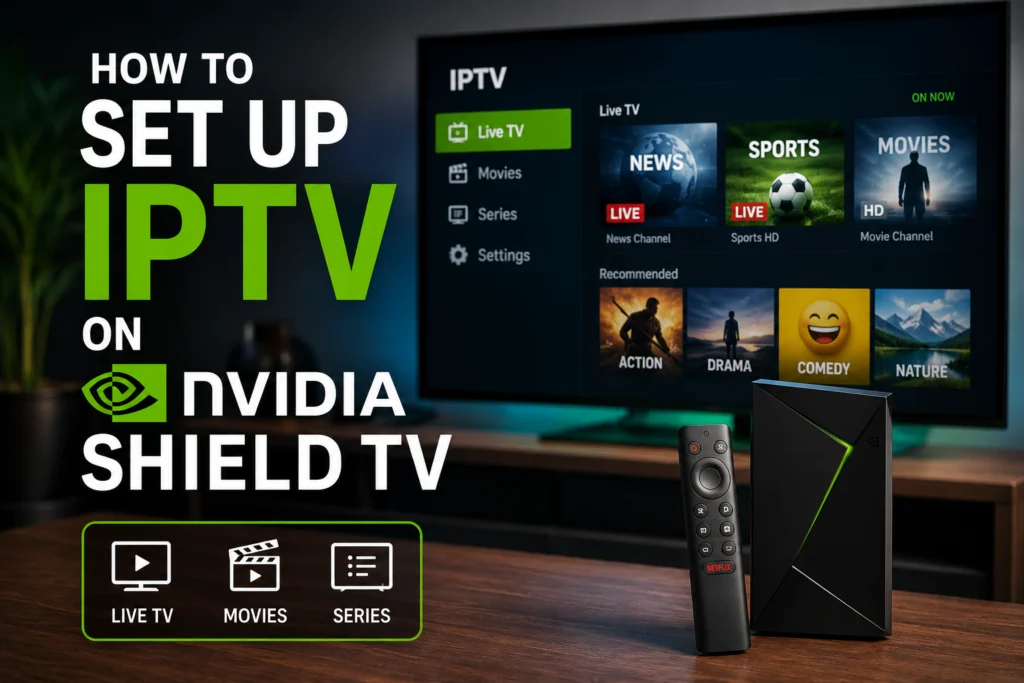
NVIDIA Shield TV is often called the best streaming device money can buy — and if you’re using it for iptv canada, that reputation is well earned. Its Tegra X1+ chip, native 4K HDR support, Gigabit Ethernet, and full Android TV OS make it a near-perfect IPTV box. But out of the box, it doesn’t come with any IPTV player installed. This guide walks you through exactly how to set up IPTV on your NVIDIA Shield in Canada, which apps to use, how to fix common issues, and whether the Shield is really worth its price tag over a Firestick or Formuler.
Does NVIDIA Shield Work With IPTV in Canada?
Yes. Both the NVIDIA Shield TV (2019 tube model) and the Shield TV Pro run stock Android TV, which means every major IPTV player is available directly from the Google Play Store — no sideloading, no jailbreaking, no workarounds. TiviMate, IPTV Smarters Pro, Kodi, GSE Smart IPTV, and Perfect Player all install in seconds.
You’ll need three things before starting:
- An active IPTV subscription with either an M3U URL or Xtream Codes login
- Your Shield connected to the internet (Ethernet strongly recommended over WiFi)
- A Google account signed in on the device
If you’re not sure what an M3U URL is or how it’s different from Xtream Codes, our guide on what an IPTV URL is explains it in plain English.
Why the NVIDIA Shield Is a Top IPTV Device
Before we get into the setup steps, it’s worth understanding why the Shield is different from a $75 Firestick or a generic Android TV box.
- Tegra X1+ processor — significantly more powerful than any Fire TV chipset, which means smoother EPG scrolling and zero lag when switching channels
- Gigabit Ethernet port — the single biggest quality-of-life upgrade for IPTV, since most buffering issues are network-related
- Native 4K HDR, Dolby Vision, and Dolby Atmos passthrough — supports the highest-quality streams your provider offers
- MicroSD slot (Shield TV) and USB ports (Shield Pro) — useful for recording IPTV to external storage
- Long software support — NVIDIA is still pushing updates to a 2019 device, which is unheard of in the streaming box world
The downside is price. In Canada, the Shield TV runs around $220 CAD and the Shield TV Pro around $280 CAD. If you’d like to see how it stacks up against cheaper options first, our Firestick IPTV guide covers the entry-level alternative.
Method 1: Install TiviMate on NVIDIA Shield (Recommended)
TiviMate is the best IPTV player for Shield, full stop. It’s optimised for remote-based navigation, has full EPG support, handles Xtream Codes natively, and supports recording on the premium tier. It’s what we recommend to nearly every Shield user.
Step-by-step TiviMate installation
- From the Shield home screen, open the Google Play Store
- Search for TiviMate IPTV Player
- Click Install, then Open
- On the welcome screen, choose Add playlist
- Select either M3U URL or Xtream Codes depending on what your provider gave you
- Paste your credentials (URL, or username + password + host)
- Wait 2–5 minutes for the EPG to sync on first load
- Set the default player to Internal — Shield handles this better than external players
Recommended TiviMate settings for Shield
Once installed, tweak these settings for the smoothest experience:
- Playlist auto-update: every 12 hours
- Buffer size: 3 seconds (Shield’s hardware handles higher buffers cleanly)
- Hardware decoder: ON
- Playback engine: Internal player (not VLC)
- EPG source: From playlist
- Video output: Match content frame rate (fixes judder on 24fps movies)
Method 2: Install IPTV Smarters Pro on NVIDIA Shield
IPTV Smarters Pro is the second-best option and is worth considering if you share your subscription across multiple family members. It supports multi-user profiles and a simpler UI that non-tech users pick up faster.
- Open the Google Play Store on your Shield
- Search for IPTV Smarters Pro
- Install and open the app
- Choose Login with Xtream Codes API (recommended over M3U URL for Smarters)
- Enter your username, password, and server URL
- Let it load channels and EPG
Smarters works well on Shield but doesn’t take full advantage of the hardware the way TiviMate does. For a wider comparison of players, see our roundup of the best IPTV players in Canada.
Method 3: Kodi + PVR IPTV Simple Client
Kodi is the power-user option. It’s overkill for most IPTV users, but if you want to combine IPTV with a local media library, custom skins, or advanced add-ons, Kodi is unmatched.
- Install Kodi from the Google Play Store
- Go to Settings → Add-ons → My add-ons → PVR clients
- Enable PVR IPTV Simple Client
- Configure with your M3U URL and EPG URL
- Restart Kodi to load channels
Full walkthrough with screenshots in our Kodi IPTV setup guide.
Best IPTV Apps for NVIDIA Shield
Here’s how the top five options compare:
| App | Best for | Price | Play Store? |
|---|---|---|---|
| TiviMate | Overall best experience | Free / ~$18 CAD premium | Yes |
| IPTV Smarters Pro | Multi-user households | Free | Yes |
| Kodi | Power users, add-ons | Free | Yes |
| Perfect Player | Old-school reliability | Free / paid tier | Yes |
| GSE Smart IPTV | Basic playback, minimal setup | Free / paid tier | Yes |
For a deeper look at each app and what makes them different, see our list of the best Canadian IPTV apps.
Fixing Common NVIDIA Shield IPTV Issues
The Shield is one of the most reliable IPTV devices you can buy, but a few issues come up often enough to be worth troubleshooting proactively.
Buffering on Shield TV
Even with strong hardware, buffering happens when the network or the app can’t keep up with the stream. Try this in order:
- Switch from WiFi to Ethernet — Shield’s Gigabit port is one of its biggest advantages
- Increase buffer size in TiviMate to 5 seconds
- Enable hardware decoder in app settings
- Run a speed test at your usual streaming time (Canadian ISPs like Bell and Rogers throttle during peak evening hours)
Our full IPTV buffer optimisation guide covers deeper fixes if this doesn’t resolve it.
EPG Not Loading
Usually caused by a mismatched XMLTV URL. In TiviMate, go to Settings → Playlist → Update to force a refresh. If it still fails, contact your provider for the correct EPG URL — some providers use a different endpoint than the M3U URL.
Audio Dropouts or Atmos Issues
Go to Shield Settings → Device Preferences → Display & Sound → Advanced sound settings and set audio to Auto passthrough. If your receiver can’t handle Dolby Atmos, switch to PCM instead.
App Crashes After Android TV Update
Clear the app cache: Settings → Apps → See all apps → [Your IPTV app] → Storage → Clear cache. If crashes persist, uninstall and reinstall from the Play Store.
Can Your ISP Block IPTV on Shield?
Technically yes, though it’s rare in Canada. Bell, Rogers, and Cogeco have all been reported to throttle or block certain IPTV traffic. If you suspect this, a VPN usually resolves it. Read more on whether Canadian ISPs can block IPTV and our recommendations for a VPN for IPTV.
Shield TV vs Shield TV Pro: Which One for IPTV?
Short answer: the standard Shield TV is enough for the vast majority of IPTV users.
The Shield TV Pro adds more RAM (3GB vs 2GB), USB ports for storage and peripherals, and support for running Plex Media Server. If you plan to record hours of IPTV to external storage, or you already run a Plex library, the Pro is worth the extra $60 CAD. If you just want great IPTV playback in 4K HDR, save the money and get the regular Shield TV.
NVIDIA Shield vs Firestick vs Formuler vs BuzzTV
Here’s how the Shield compares to other popular IPTV boxes sold in Canada:
| Device | Price (CAD) | Best for |
|---|---|---|
| NVIDIA Shield TV | ~$220 | Premium buyers, 4K/Atmos, long-term device |
| Firestick 4K Max | ~$75 | Budget, casual users |
| Formuler Z11 Pro | ~$260 | IPTV enthusiasts, MyTVOnline users |
| BuzzTV XR4500 | ~$290 | Users who want everything preloaded |
The Shield wins on raw performance, software updates, and audio/video quality. Firestick wins on price. Formuler and BuzzTV win on being pre-configured for IPTV out of the box. If you want the device to last five-plus years and never feel slow, the Shield is the right call.
Is IPTV on NVIDIA Shield Legal in Canada?
IPTV itself is 100% legal in Canada. The Shield is a legal, mainstream retail device. What determines legality is the content source you subscribe to. Licensed IPTV providers that hold distribution rights to the channels they carry are legal. Providers offering premium channels for $5/month with no licensing paperwork are not.
A trustworthy Canadian iptv canada provider will publish clear contact info, offer a legitimate free trial, accept normal payment methods, and be responsive when things break.
How Much Does IPTV for Shield Cost in Canada?
The Shield is a one-time hardware cost. Your ongoing expense is the IPTV subscription itself, which in Canada typically runs $6.58 to $19 CAD per month depending on the plan length. Longer subscriptions bring the effective monthly price down significantly. Full breakdown in our Canadian IPTV pricing guide.
Frequently Asked Questions
Does NVIDIA Shield work with any IPTV service in Canada?
Yes. Any provider that supplies an M3U URL or Xtream Codes login works on Shield through TiviMate, Smarters Pro, Kodi, or any other Android TV IPTV player.
What is the best IPTV app for NVIDIA Shield?
TiviMate is the top recommendation for nearly all users. IPTV Smarters Pro is the best alternative if you want a simpler UI or multi-user profiles.
Can I record IPTV on my Shield?
Yes. TiviMate Premium enables recording to internal storage or to a USB drive (on Shield TV Pro).
Do I need a VPN for IPTV on Shield in Canada?
Not required, but recommended if your ISP throttles streaming traffic or if you want an extra layer of privacy.
Why does IPTV buffer on my Shield?
The most common cause is WiFi congestion. Switch to Ethernet, then adjust buffer settings in your player.
Is the Shield TV Pro worth it for IPTV?
Only if you want to record IPTV to a USB drive or run a Plex server. For streaming alone, the standard Shield TV is enough.
Can I use IPTV Smarters Pro on Shield TV from the Google Play Store?
Yes. It’s officially available and installs in seconds — no sideloading required.
Final Thoughts
The NVIDIA Shield TV paired with TiviMate is genuinely the best IPTV setup you can build in Canada right now. It costs more upfront than a Firestick, but the performance, build quality, and years of ongoing software support make it worth the investment for anyone serious about their streaming setup. Combine it with a reliable iptv canada subscription and you have a home entertainment system that outperforms most cable packages at a fraction of the monthly cost.
Not sure where to start? Try a free IPTV trial in Canada before committing, and see the setup running on your Shield for yourself.