
The best IPTV for sports in Canada isn’t the service with the biggest channel count. It’s the one that holds a smooth 50–60 fps picture during the busiest game windows, stays close to the live broadcast, and keeps a backup stream ready when one feed fails. Most “best IPTV for sports” lists rank providers by marketing claims. This guide gives you a 10-point sports test you can run yourself during a free trial, so you can judge any IPTV service with your own eyes, on your own connection, on game night.
Key takeaways
- Frame rate matters more than resolution for sports. A steady 50–60 fps feed in 1080p looks better in motion than a choppy “4K” feed.
- Test during a real game window, not on a quiet Tuesday afternoon. Peak-hour stability is the only number that counts.
- Look for backup streams for the same channel, an accurate EPG, catch-up for missed games, and enough connections for everyone in the house.
- Sports rights in Canada are split across several broadcasters and league packages, which is why many fans compare IPTV with stacking multiple official apps.
- Always run a 24-hour free trial during a live event before you pay for a long plan.
Why Sports Is the Hardest Test for Any IPTV Service
Movies and series are forgiving. If a film buffers for two seconds, you lose nothing. Live sports is different in four ways:
- Everyone watches at the same time. A big Saturday night game or a playoff overtime sends thousands of viewers to the same streams in the same minute. Weak servers fail exactly when you care most.
- Motion is fast. A puck, a ball or a fighter moves across the screen in a fraction of a second. Low frame rates and heavy compression turn that into blur and stutter.
- Delay ruins the moment. If your stream runs a minute behind, a group chat or a neighbour’s cheer spoils the goal before you see it.
- You can’t rewind live. A missed overtime winner is gone unless the service offers catch-up or a replay.
That’s why a service that feels great for movies can still disappoint for sports. When you shop for an IPTV subscription for game nights, judge it on live performance first and library size second.
The 10-Point Sports Test (Run It During Your Free Trial)
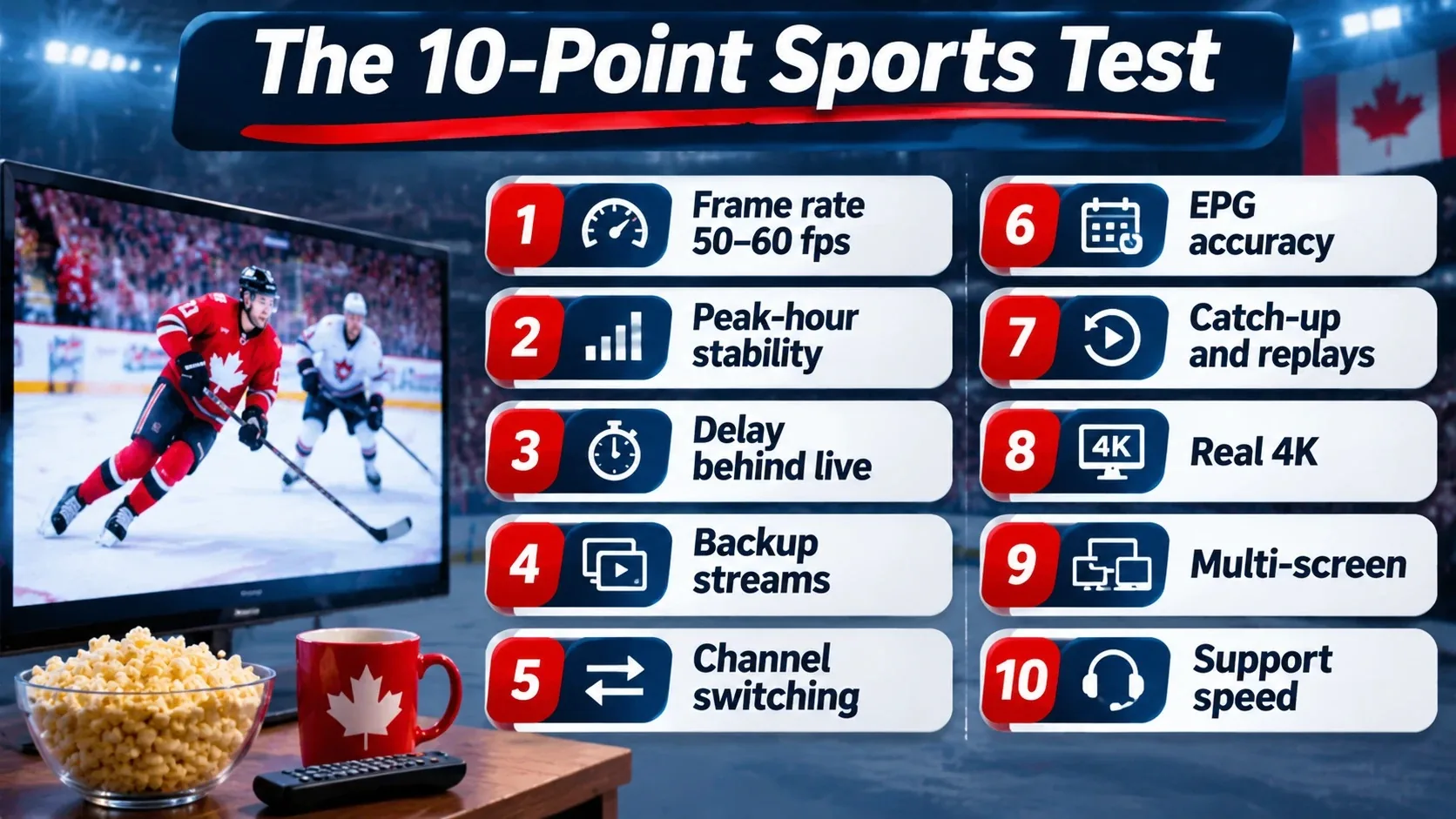
Use this checklist with any provider. Each point takes a few minutes, and together they tell you more than any review site.
| # | What to check | How to test it | What good looks like |
|---|---|---|---|
| 1 | Frame rate | Watch fast play and look for smooth panning | 50 or 60 fps on main sports channels |
| 2 | Peak-hour stability | Watch a full period or half during a busy evening game | No more than a brief blip, no repeated buffering |
| 3 | Delay behind live | Compare with a radio call or live score app | Roughly the same delay as cable or official streaming apps |
| 4 | Backup streams | Look for two or more versions of the same channel | An alternate feed you can switch to in seconds |
| 5 | Channel switching | Flip between three sports channels | Each loads in a few seconds |
| 6 | EPG accuracy | Check tonight’s games in the guide | Correct times in your time zone, correct event names |
| 7 | Catch-up and replays | Try to replay a game from earlier today | Recent events available to rewatch |
| 8 | Real 4K (if offered) | Open your player’s stream info | Resolution shows 3840×2160 and the picture holds in motion |
| 9 | Multi-screen | Run two devices at once | Both streams stay stable on your plan’s connections |
| 10 | Support speed | Send a question during the game | A useful answer while the game is still on |
1. Frame rate: the number most reviews skip
Broadcast sports in North America is produced at about 60 frames per second (many international feeds run at 50). When a provider re-encodes that feed at 25 or 30 fps to save bandwidth, fast play looks jerky, especially on big TVs. In IPTV Smarters, TiviMate and most players, you can open the stream or media info panel during playback to see the frame rate. On a good sports feed, it should read 50 or 60.
2. Peak-hour stability: test when it’s busy
Plenty of services look perfect at 2 p.m. The real test is a busy weekend evening when a major game is on. Watch at least one full period or half. A single short blip can happen on any internet stream. Repeated buffering, freezing or the stream dropping back to the channel list are red flags. If you only see trouble at night, read our guide on why IPTV keeps freezing at night to rule out your own network first.
3. Delay behind live
Every stream runs a little behind the live action. Cable has a delay, and so do official streaming apps. The question is how much extra an IPTV service adds. Put a live radio call or a live score app next to your TV and note the gap. If one feed runs far behind, try a backup version of the channel, which often uses a different source.
4. Backup streams
Good sports providers list two or more versions of popular channels (often marked HD, FHD, 4K or “backup”). If one source has a problem mid-game, you switch in seconds instead of waiting for a fix. Ask support whether backup feeds exist before you buy.
5. Channel switching speed
On busy nights you’ll flip between games. Each channel should load in a few seconds. Slow zapping usually points to overloaded servers or a weak device. If you’re on a Fire TV Stick, our best IPTV for Firestick guide covers the settings that speed it up.
6. EPG accuracy
An electronic program guide (EPG) tells you what’s on and when. For sports, a wrong time means a missed puck drop. Check that tonight’s games show at the right time for your province. If the guide is empty or shifted, our EPG setup and troubleshooting guide walks you through the fix.
7. Catch-up and replays
Work, kids and time zones mean you won’t catch every game live. Catch-up (also called TV archive) lets you replay recent events from the guide. Not every channel offers it, so check the sports channels you care about during the trial.
8. Real 4K versus “4K” labels
A channel labelled 4K is only real 4K if the source is 4K. Many sports broadcasts are produced in 1080p or 720p, and an upscaled “4K” feed just uses more bandwidth without adding detail. Open the stream info: a true UHD stream shows 3840×2160. For 4K, Netflix recommends a stable connection of 15 Mbps or higher, and live sports at 60 fps often needs more headroom than a movie.
9. Multi-screen for game nights
If one person watches hockey in the living room while another follows a different game upstairs, you need a plan with enough connections. Run two devices at once during the trial. Our guide on watching IPTV on multiple devices at once explains how connections work.
10. Support while the game is on
Problems during a big game need fast answers. Send a simple question to support during a live event and time the reply. A useful answer before the final whistle is a good sign. A reply the next morning isn’t.
Your Home Setup Matters as Much as the Provider
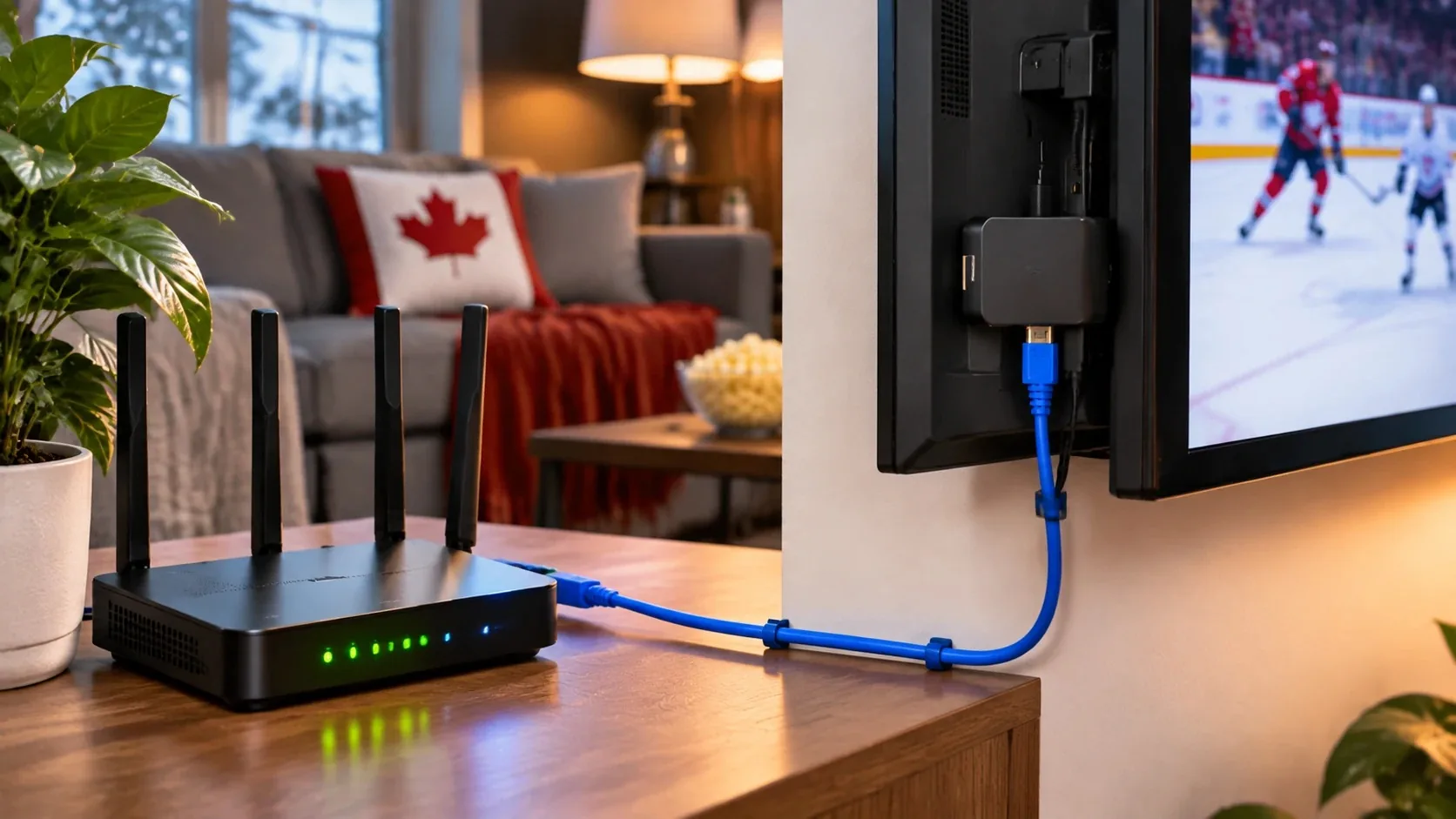
Even the best IPTV service can’t fix a weak home network. Before you blame a provider, check these:
- Internet speed: run a test at Speedtest on the device you watch on, not just your phone. Aim for at least 25 Mbps per stream for comfortable HD sports and more for 4K. Our internet speed guide for buffer-free IPTV has a full breakdown.
- Wired beats Wi-Fi: an Ethernet cable (or a good mesh system) removes most random drops.
- Device power: older sticks struggle with 60 fps and 4K. A current Fire TV Stick 4K, a Google TV streamer or an Nvidia Shield handles sports better.
- Player settings: hardware decoding on, buffer size set to medium or large. See how to optimize IPTV buffer settings.
- Reboot before big games: restarting your router and streaming device an hour before puck drop clears memory and stale connections.
How Sports Fans in Canada Usually Watch
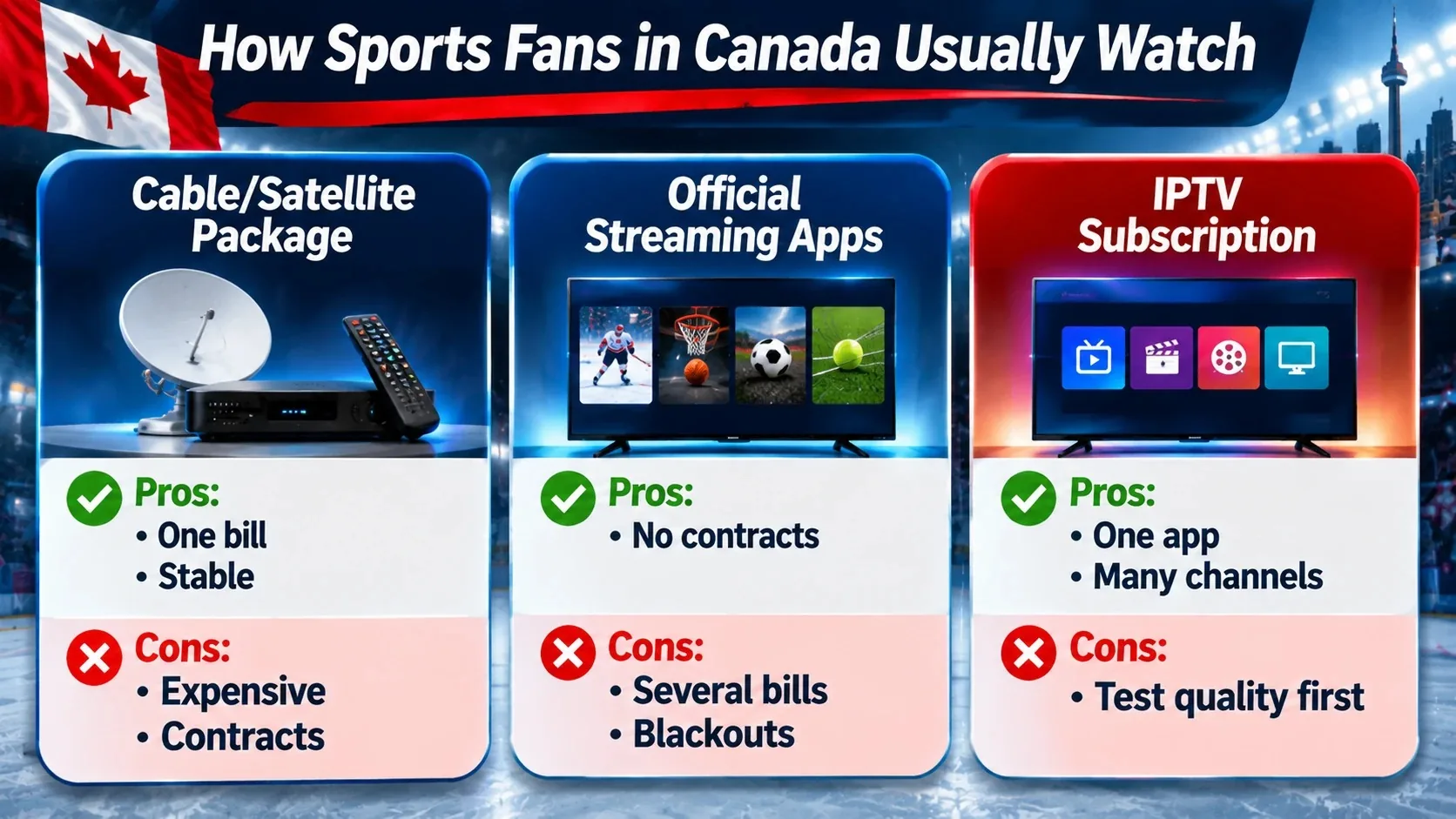
Sports broadcasting rights in Canada are split. Two large media companies hold most domestic team-sport rights, some sports sit with international streaming platforms, and leagues sell their own out-of-market packages. A hockey fan who also follows football and soccer can end up needing several subscriptions to see everything. The CRTC’s TV and radio for Canadians page explains your options for traditional TV service and how to change providers.
That split is why many cord-cutters compare three approaches:
| Approach | Pros | Cons |
|---|---|---|
| Cable or satellite sports package | Familiar, one bill, stable | Expensive, contracts, box rental, regional blackouts |
| Stacking official streaming apps | Official, no contracts | Several bills, rights move between apps, blackouts still apply |
| IPTV subscription | One app and one bill, many channels, works on most devices | Quality varies a lot between providers, so testing is essential |
Whichever route you choose, understand the rules first. Our guide Can you use IPTV in Canada? covers the legal side in plain language. For a team-by-team look at hockey, see how to stream every hockey team without cable in Canada and our best streaming setup for hockey fans.
What to Look for by Sport
Hockey
Hockey is the toughest test in Canada. The puck is small and fast, and the biggest nights draw the biggest crowds. Prioritise frame rate, peak-hour stability and regional channel coverage. Check that the regional feeds for your province appear in the guide.
Football (Canadian and American)
Football games are long and often overlap. Multi-screen and quick channel switching matter most on busy Sundays. A good EPG helps you track early and late windows across time zones.
Basketball and baseball
Both have long seasons with games almost every night. Catch-up is valuable here, since you’ll miss some games live. Baseball’s slower pace is forgiving, but basketball’s fast breaks expose low frame rates quickly.
Soccer
Many international matches air in the morning or early afternoon in Canada. Check that international sports channels and replays are available, and that the guide shows correct local kick-off times.
Combat sports and big events
Major fight nights and championship events create the highest single-moment demand of the year. If a provider stays smooth during one of these, it’s a strong sign. Test with backup streams ready.
Red Flags When Choosing an IPTV Provider for Sports
- No free trial. A provider confident in its live performance lets you test it first.
- “Every game for $5 a month forever.” Prices far below the market usually mean overloaded servers on game night, or a service that disappears.
- Only long plans, no refund. You can’t judge sports quality without a trial or a refund window.
- Payment by crypto or gift cards only. Read our guide to IPTV scams in Canada before paying an unknown seller.
- No support during evenings. Problems happen at game time. If support sleeps then, you’re on your own.
- Fake 4K everywhere. If every channel claims 4K, few of them probably are.
How IPTVCAD Handles Game Nights
IPTVCAD is our own service, so test us the same way you’d test anyone else. Here’s what you get:
- 25,000+ live channels, including Canadian, US and international sports channels, in HD, FHD and 4K where the source allows.
- 120,000+ movies and series for the nights when there’s no game on.
- A 24-hour free trial with full access and no credit card, so you can run the 10-point test during a real game.
- Plans for 1 to 4 devices, from $19 a month. Compare options on our multi-screen plans page.
- 24/7 support on WhatsApp, a 7-day money-back guarantee and payment by Interac e-Transfer.
If you want a reliable IPTV service in Canada for hockey, football and everything in between, request a trial on the evening of a big game and see how it holds up.
How to Run Your Trial on Game Night (Step by Step)
- Pick a busy evening. Choose a night with a big game, ideally a weekend.
- Request your trial a few hours early. Set up the app (IPTV Smarters, TiviMate or your provider’s recommended player) and load the guide before the game.
- Prepare your network. Reboot your router and device, connect by Ethernet if you can, and close other heavy downloads.
- Open the stream info. Note resolution and frame rate on the main sports channel.
- Watch a full period or half. Count any buffering events.
- Compare with a live score app. Note the delay.
- Switch to a backup feed and another game. Time how long each takes to load.
- Add a second device. Check both stay stable if you need multi-screen.
- Message support. Time the reply.
- Decide. If it passes, start with a 1-month or 3-month plan before committing to a year.
Bottom Line
The best IPTV for sports is the one that passes your own game-night test: smooth 50–60 fps motion, steady streams during peak hours, a small delay, backup feeds, an accurate guide and support that answers while the game is on. Ignore channel counts and “best of” rankings. Run the 10-point test during a free trial, check your home network, and start with a short plan. That’s how you find a service you’ll trust for a whole season. When you’re ready, compare IPTVCAD against the same checklist.
Frequently Asked Questions
What is the best IPTV for sports in Canada?
The best one is the service that stays smooth during peak game windows on your own connection. Look for 50–60 fps sports channels, backup streams, an accurate EPG, catch-up and fast support, and confirm it all during a free trial before you pay.
Is 4K important for watching sports on IPTV?
Less than most people think. Frame rate and stability matter more. A steady 1080p feed at 60 fps usually looks better in motion than an unstable or upscaled 4K feed. Use 4K when the source is real 4K and your connection has room to spare.
What internet speed do I need for IPTV sports?
Aim for at least 25 Mbps per stream for comfortable HD sports, and more for 4K or several screens. A wired Ethernet connection makes the biggest difference for stability.
Why does IPTV buffer during big games?
Big games bring the most viewers at once, which exposes weak servers. Buffering can also come from your Wi-Fi, an older streaming device or small player buffer settings. Test with a wired connection and a backup stream to find the cause.
Can I watch two games at once with IPTV?
Yes, if your plan includes more than one connection. Each device or stream uses one connection, so a 2-device plan lets you watch two games on two screens at the same time.
How long is the IPTVCAD free trial?
IPTVCAD offers a 24-hour free trial with full access and no credit card, requested on WhatsApp. Plan it for an evening with a big game so you can test live sports properly.