An “IPTV Smarters Pro subscription” is really two separate things: the Smarters app, which is only a video player, and an IPTV subscription from a provider, which supplies the channels, movies and series. The app’s developer says plainly that it doesn’t supply any content. So when you pay for “Smarters Pro”, make sure you know which of the two you’re paying for. This guide explains the difference, shows how to spot look-alike apps with their own in-app charges, and walks you through setting up Smarters Pro in Canada the right way.
Key takeaways
- IPTV Smarters Pro is a player app made by WHMCS Smarters. It has no channels of its own.
- Your channels come from an IPTV provider, which gives you login details (Xtream Codes or an M3U link).
- Several apps use the “Smarters” name. Some charge weekly or yearly in-app fees that have nothing to do with your IPTV subscription.
- Xtream Codes login is the easiest and most reliable way to connect Smarters Pro.
- Test the full setup with a 24-hour free trial before buying a long plan.
What IPTV Smarters Pro Actually Is
IPTV Smarters Pro is a media player for live TV, movies, series and catch-up. It’s developed by WHMCS Smarters, and its store listings carry the same disclaimer: the app does not supply or include any media or content, and users must have their own. On the Samsung app store listing, the developer also notes that service providers must register their server for the app to work with their panel.
Think of it like a DVD player. The player doesn’t come with movies. You bring the disc. With Smarters, the “disc” is your IPTV subscription.
What the app does well
- Organises live TV, movies and series into clear sections
- Shows an electronic program guide (EPG) for live channels
- Supports catch-up (TV archive) when your provider offers it
- Multi-screen view on supported devices
- Parental controls with a PIN
- Favourites, search and an option to use an external player such as VLC
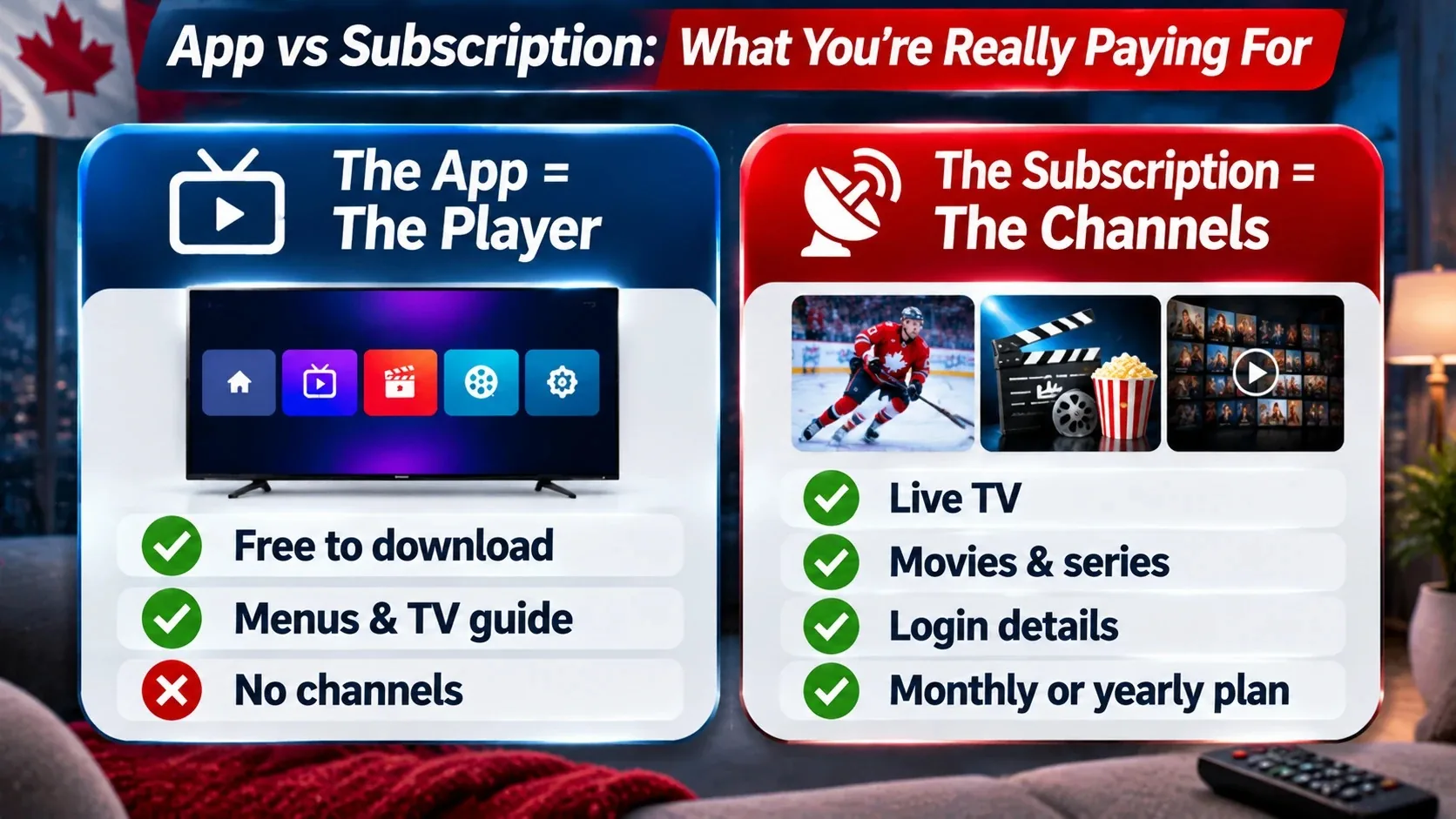
App vs Subscription: What You’re Really Paying For
| The Smarters app | Your IPTV subscription | |
|---|---|---|
| What it is | Video player software | Access to live channels, movies and series |
| Who makes it | WHMCS Smarters (or a copycat, see below) | Your IPTV provider |
| What it costs | Free to download on most platforms; some versions offer optional in-app purchases | A monthly, 3-month, 6-month or yearly plan |
| What you get | Menus, guide, player controls | Login details: username, password and server URL |
| Who supports it | The app developer | Your provider’s support team |
When a website sells an “IPTV Smarters Pro subscription”, it’s almost always selling an IPTV service that works in the Smarters app. That’s normal. Just remember the app and the service are separate, and you don’t need to pay the app developer to use a provider’s channels on most devices.
The Many “Smarters” Apps: How to Pick the Right One
Search “Smarters” in an app store and you’ll see several apps with similar names and icons. Some are official, some are made by other companies. Here’s what the listings show:
- IPTV Smarters Pro by WHMCS Smarters: the original player, available on Android devices, Samsung smart TVs and other platforms.
- Smarters Player Lite by WHMCS Smarters: on iPhone and iPad. Its App Store listing describes it as the lite version of IPTV Smarters Pro with all the basic features unlocked. It’s free, with optional in-app purchases.
- Smarters Pro by Tech Smarters Private Limited: also on the App Store. Its listing says users need to subscribe in the app to play content, and lists a premium in-app purchase.
- Look-alike apps from unrelated developers using “IPTV Smarters” in the name. At least one App Store app with that name lists its own weekly and yearly subscriptions.
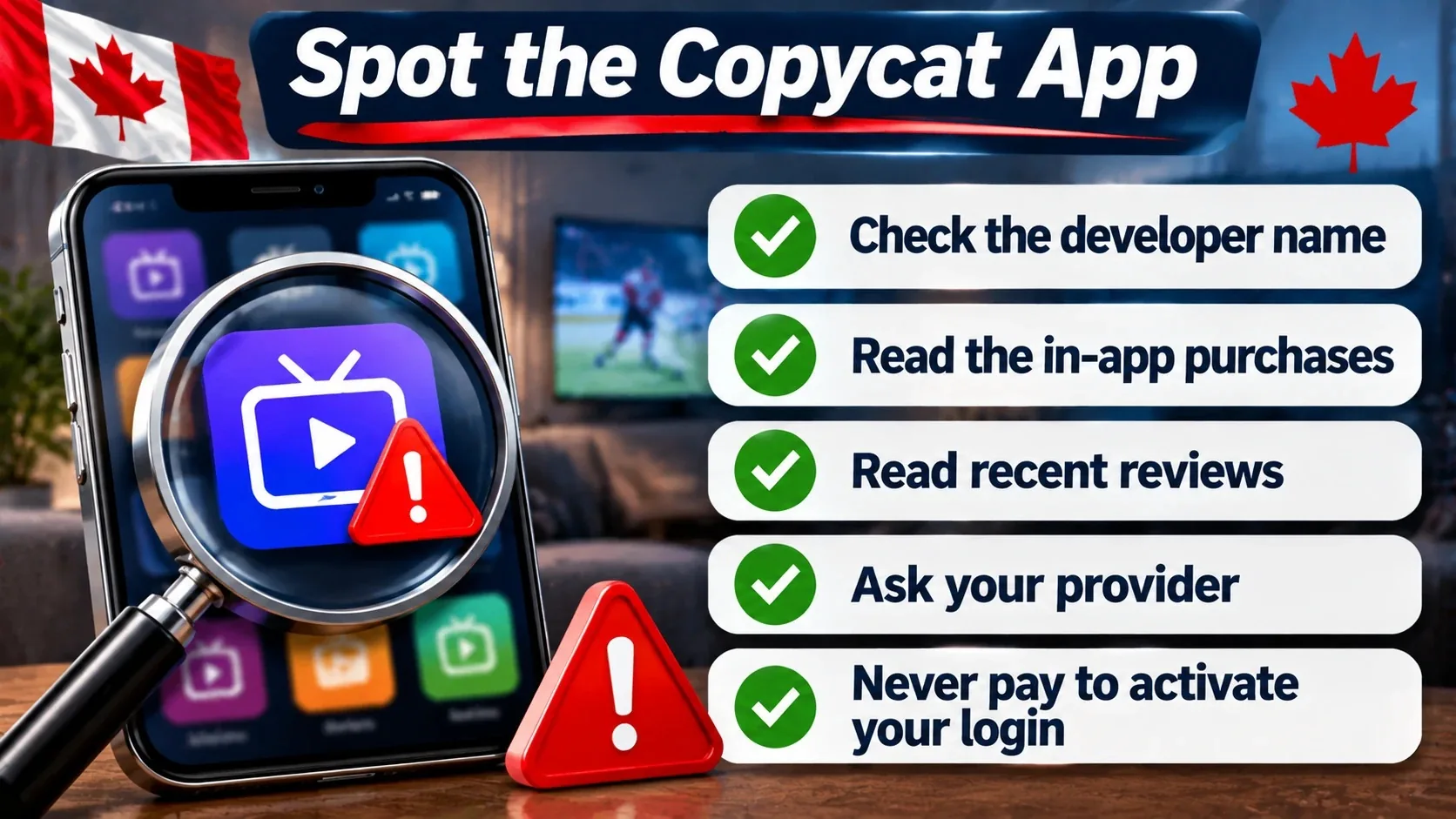
Spot-the-copycat checklist
- Check the developer name under the app title. The original is WHMCS Smarters.
- Read the in-app purchases section before installing. Weekly subscriptions are a warning sign.
- Read recent reviews for complaints about surprise charges.
- Ask your provider which app and which version they recommend. Some providers have a branded version of Smarters for their customers.
- Never enter card details in an app just to “activate” your IPTV login. Your provider’s subscription doesn’t need an app payment to work on most devices.
If you accidentally subscribed to a copycat app on iPhone, you can cancel it in your Apple ID subscriptions settings. That won’t affect your IPTV service.
Devices That Run Smarters Pro in Canada
| Device | How to get the app | Notes |
|---|---|---|
| Android phones and tablets | Google Play Store | Search “IPTV Smarters Pro” and check the developer |
| Android TV / Google TV | Google Play Store | Works well on TVs and streamers with Google TV |
| Amazon Fire TV Stick | Amazon Appstore if listed, otherwise Downloader | Newer sticks running Vega OS don’t allow sideloading; see our Firestick install guide |
| iPhone and iPad | App Store (Smarters Player Lite) | Check the developer before installing |
| Samsung and LG smart TVs | The TV’s own app store | See best IPTV apps for Samsung and LG TVs |
| Windows PC | Desktop version | Step-by-step in how to install IPTV Smarters on Windows |
| Nvidia Shield | Google Play Store | One of the smoothest devices for Smarters |
How to Set Up IPTV Smarters Pro (Step by Step)
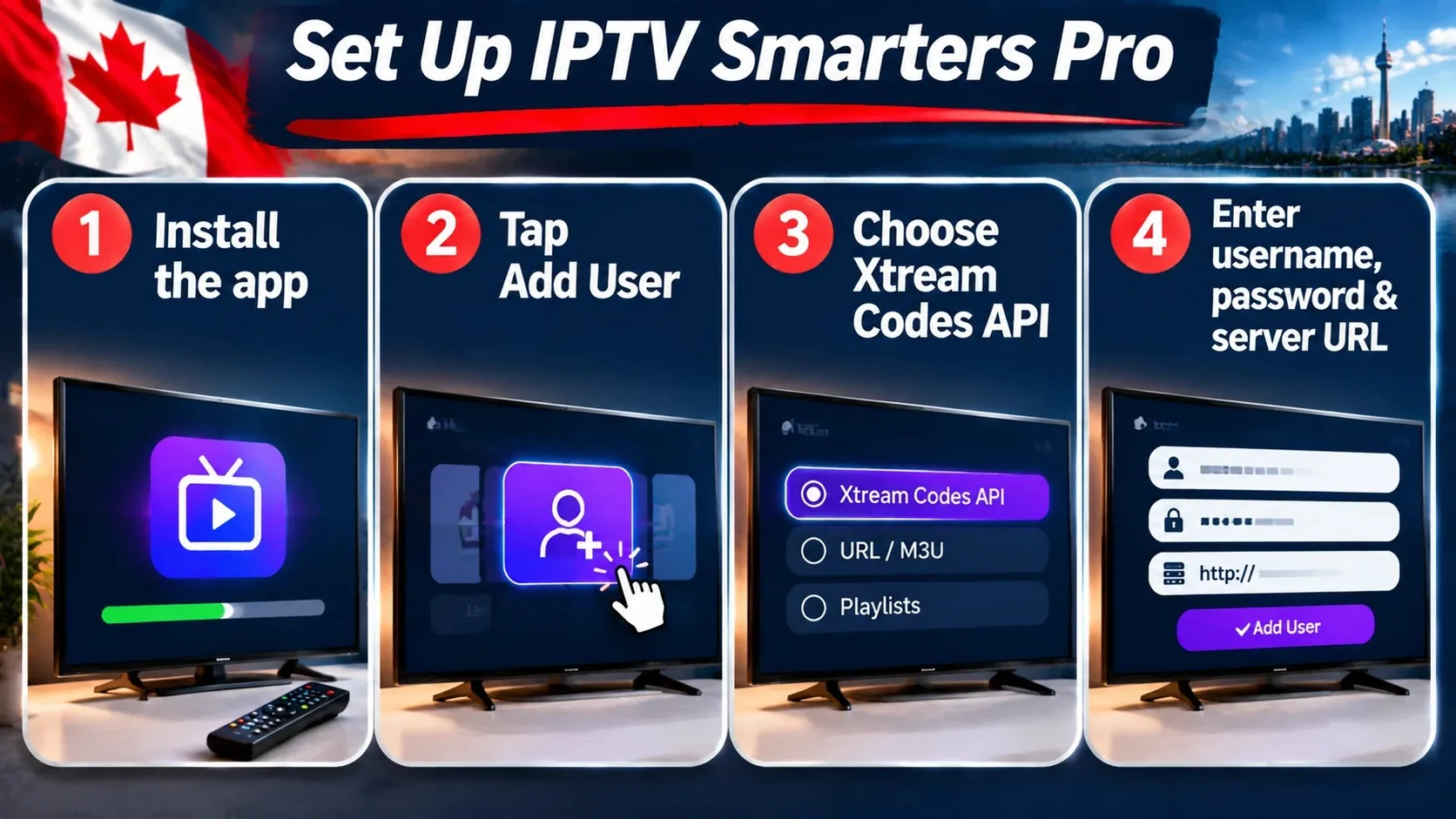
Before you start, you need login details from your IPTV provider. With IPTVCAD, you receive them on WhatsApp after you request a trial or subscribe.
- Install the app. Download IPTV Smarters Pro (or Smarters Player Lite on iPhone) from your device’s official store and confirm the developer.
- Open the app and accept the terms. Choose your layout (TV or mobile) if asked.
- Tap “Add User” or “Add New User”.
- Choose “Login with Xtream Codes API”. This is the recommended method because it loads live TV, movies, series and the guide automatically.
- Enter your details: any name (for example “Home”), your username, your password and the server URL exactly as your provider sent them. The URL usually starts with http:// and may include a port number such as :8080.
- Tap “Add User”. The app downloads your channels, movies and series.
- Load the TV guide. Open Live TV, then use “Install EPG” or “Refresh EPG” if the guide is empty.
- Test a channel. Open a live channel, then a movie, to confirm everything plays.
If you get a login error, double-check each character. Our guide on how to log in to IPTV Smarters Player covers the most common login mistakes, and IPTV codes and login credentials explained shows what each field means.
Xtream Codes vs M3U: which login to use
Smarters also accepts an M3U playlist link. Both work, but they behave differently:
| Xtream Codes API | M3U playlist | |
|---|---|---|
| Setup | Username, password, server URL | One long link |
| Movies and series | Sorted into separate sections | Often mixed into one list |
| TV guide | Usually loads automatically | May need a separate EPG link |
| Loading speed | Faster with large libraries | Slower with very large playlists |
Use Xtream Codes whenever your provider offers it. Learn more in what is M3U and Xtream Codes.
Best Smarters Pro Settings for Canadian Viewers
- Time format and time zone: set the guide to your local time (Eastern, Central, Mountain, Pacific, Atlantic or Newfoundland) so game times and shows line up.
- Player selection: use the built-in player first. If a channel stutters, try the alternate player or VLC.
- Hardware decoding: keep it on for smoother HD and 4K playback on most devices.
- Buffer size: medium or large helps on Wi-Fi. See how to optimize IPTV buffer settings.
- Automatic EPG update: turn it on so the guide stays current.
- Parental controls: set a PIN and hide adult categories if children use the TV. Our parental controls guide has the details.
- Favourites: add your most-watched channels so you don’t scroll through 25,000+ channels every night.
Common Smarters Pro Problems and Quick Fixes
| Problem | Likely cause | Fix |
|---|---|---|
| “Invalid username or password” | Typo, extra space, wrong URL or expired account | Re-enter details carefully; confirm the URL and port with your provider |
| Channels load but won’t play | Player issue or too many devices connected | Switch player, close other devices, restart the app |
| TV guide is empty | EPG not loaded yet | Refresh EPG and wait a few minutes |
| Buffering | Wi-Fi, device or busy evening | Use Ethernet, raise buffer size, reboot router and device |
| Movies missing | Logged in with M3U instead of Xtream Codes | Add a new user with Xtream Codes |
| App asks for payment | Copycat app or premium version | Check the developer; install the official app |
For anything else, start with our full IPTV not working troubleshooting guide, then clear the app cache with this cache guide.
Is IPTV Smarters Pro Safe to Use?
The official app from WHMCS Smarters is a mainstream player listed in major app stores, including Google Play, the App Store and Samsung’s store. Most safety problems come from how people install it, not from the app itself:
- Install from official stores whenever your device allows it. Store apps are scanned and update automatically.
- If you must sideload (for example on an older Fire TV Stick), only use a download link your provider or the developer supplies. Avoid random APK mirror sites.
- Keep the app updated so you get playback fixes and security patches.
- Protect your login. Your username and password are tied to your plan’s connections. If you share them, other people use your connections and your own streams may stop.
- Use a PIN on adult categories and on the settings menu if children use the TV.
Using Smarters with more than one household member
Smarters lets you add several users (profiles) in the same app, each with its own login. That’s handy if you have two plans or a trial alongside your main account. On a multi-device plan, install the app on each TV or phone and log in with the same details. The app will play as many streams at once as your plan allows. If a family member gets an error like “max connections reached”, someone else is already using every connection on the plan.
Smarters Pro Alternatives Worth Knowing
Smarters is popular because it’s free and simple, but it’s not the only option. TiviMate is a favourite on Android TV and Fire TV for its cable-style guide. IBO Player and others work on smart TVs. All of them are players only, so your IPTV subscription stays the same whichever app you use. See our comparison of the best IPTV players in Canada.
Choosing an IPTV Subscription That Works With Smarters
Any provider that gives you Xtream Codes or M3U login details will work in Smarters. What separates good providers from bad ones is everything else:
- Stable streams at peak hours, especially for live sports
- A free trial so you can test in Smarters before paying
- Setup help when you get stuck on a login screen
- Clear pricing in CAD and a refund policy
- Enough connections for every screen in your home
IPTVCAD is our own service. Logins work in IPTV Smarters Pro, TiviMate and other players. You get 25,000+ live channels and 120,000+ movies and series, a 24-hour free trial with no credit card, 24/7 WhatsApp support, a 7-day money-back guarantee and plans from $19 a month. You can compare our IPTV plans for 1 to 4 devices.
| IPTVCAD plan | 1 device | 2 devices | 3 devices | 4 devices |
|---|---|---|---|---|
| 1 month | $19 | $29 | $39 | $49 |
| 3 months | $35 | $59 | $79 | $99 |
| 6 months | $49 | $89 | $119 | $149 |
| 12 months | $79 | $129 | $179 | $219 |
Prices in CAD. See full details on the multi-screen plans page.
Bottom Line
IPTV Smarters Pro is a free, capable player, but it’s only half of the setup. The channels come from your IPTV subscription. Download the official app (check that the developer is WHMCS Smarters), skip look-alike apps that charge weekly fees, log in with Xtream Codes, and tune a few settings for your time zone and connection. Then test the whole thing with a free trial before you commit to a plan. If you’d like a provider that helps you get set up, IPTVCAD sends your login details and setup help right on WhatsApp.
Frequently Asked Questions
Is IPTV Smarters Pro free?
The IPTV Smarters Pro app is free to download on most platforms, and some versions offer optional in-app purchases. The app has no channels, so you still need an IPTV subscription from a provider to watch anything.
Does IPTV Smarters Pro come with channels?
No. The developer states that the app does not supply or include any content. Your channels, movies and series come from your IPTV provider.
What is the best subscription for IPTV Smarters Pro in Canada?
Choose a provider that offers Xtream Codes login, stable streams at peak hours, Canadian channels, a free trial and responsive support. Test it in Smarters during the trial before buying a longer plan.
Why is my Smarters app asking me to pay?
You may have installed a look-alike app or a version with a premium upgrade. Check the developer name in the app store. The original app is from WHMCS Smarters, and your IPTV login doesn’t need an app payment to work on most devices.
Can I use one Smarters login on several devices?
You can install Smarters on as many devices as you like, but the number of streams you can watch at once depends on your IPTV plan’s connections. A 2-device plan allows two streams at the same time.
Should I use Xtream Codes or M3U in Smarters Pro?
Use Xtream Codes when your provider offers it. It sorts live TV, movies and series automatically and usually loads the TV guide without extra steps.
Does IPTV Smarters Pro work on Firestick?
Yes, on Fire TV devices that run Fire OS. If it isn’t in the Amazon Appstore, it can be installed with the Downloader app. Newer Fire TV sticks running Vega OS don’t allow sideloading, so check your model first.