The Short Answer
For most Canadians, the best IPTV box is still an Android-based streaming stick or box: the Amazon Fire TV Stick 4K Max (2nd gen) for value, the Google TV Streamer if you want a built-in Ethernet port, or a Formuler box if you want a cable-style TV guide. But there’s a catch most buying guides haven’t caught up with yet: Amazon’s newest Fire TV sticks no longer let you install IPTV apps at all. Buy the wrong model and your IPTV subscription won’t work on it.
This guide covers every IPTV box worth buying in Canada in 2026, the models to avoid, how to check a box is legitimately certified for Canada, and what your first year really costs once you add a subscription.
Key takeaways
- Avoid Vega OS Fire TV sticks (Fire TV Stick 4K Select, Fire TV Stick HD 2026). They block sideloaded apps, which most IPTV players need.
- Best value: Fire TV Stick 4K Max (2nd gen, Fire OS). Best for wired internet: Google TV Streamer. Best cable-box feel: Formuler Z11 Pro Max.
- Match the box to your login type: Xtream Codes and M3U work on almost anything; MAC/portal logins need a MAG or Formuler box.
- An Ethernet port matters more than a faster processor for live sports.
- Check the box has an ISED (IC) certification number before you buy. “Fully loaded” boxes without one are a red flag.
Disclosure: IPTVCAD is an IPTV subscription service, not a hardware seller. We don’t earn anything from the devices below. Prices are approximate Canadian prices seen in November 2026 and change often, so check before you buy.
What an IPTV Box Actually Does
An IPTV box is just the hardware that plays your channels. It doesn’t come with any channels itself. You need two things:
- A device (stick, box or smart TV) that can run an IPTV player app
- An IPTV subscription that gives you login details, usually Xtream Codes or an M3U link, or a portal URL for MAG-style boxes
The app (such as IPTV Smarters, TiviMate or MyTVOnline) connects the two. For a deeper explanation of the technology, read how an IPTV box works.
That’s why the most important question isn’t “which box is fastest?” It’s “can this box run the app my provider supports?” And in 2026, that question has a new twist.
The 2026 Firestick Trap: Vega OS
For years, the Fire TV Stick was the default IPTV box in Canada because you could install any Android app on it. That’s changing.
In October 2025, Amazon launched the Fire TV Stick 4K Select, the first Fire TV stick to run Vega OS, a Linux-based system that replaces Android-based Fire OS. Amazon’s product page states that only apps from the Amazon Appstore can be downloaded on it, and its developer site says all future Fire TV sticks will run Vega. The Fire TV Stick HD released in April 2026 also runs Vega OS and warns that it prevents installing apps from unknown sources (Tom’s Guide has a good summary).
Why this matters for IPTV: most IPTV player apps are installed through the Downloader app (sideloading), not the Appstore. On a Vega OS stick, that’s no longer possible.
| Fire TV model | Operating system | Can install IPTV apps (sideload)? |
|---|---|---|
| Fire TV Stick 4K Max (2nd gen, 2023) | Fire OS (Android) | ✅ Yes |
| Fire TV Stick 4K (2nd gen, 2023) | Fire OS (Android) | ✅ Yes |
| Fire TV Stick 4K Plus | Fire OS (Android) | ✅ Yes |
| Fire TV Cube (3rd gen) | Fire OS (Android) | ✅ Yes |
| Fire TV Stick 4K Select (2025) | Vega OS | ❌ No |
| Fire TV Stick HD (2026) | Vega OS | ❌ No |
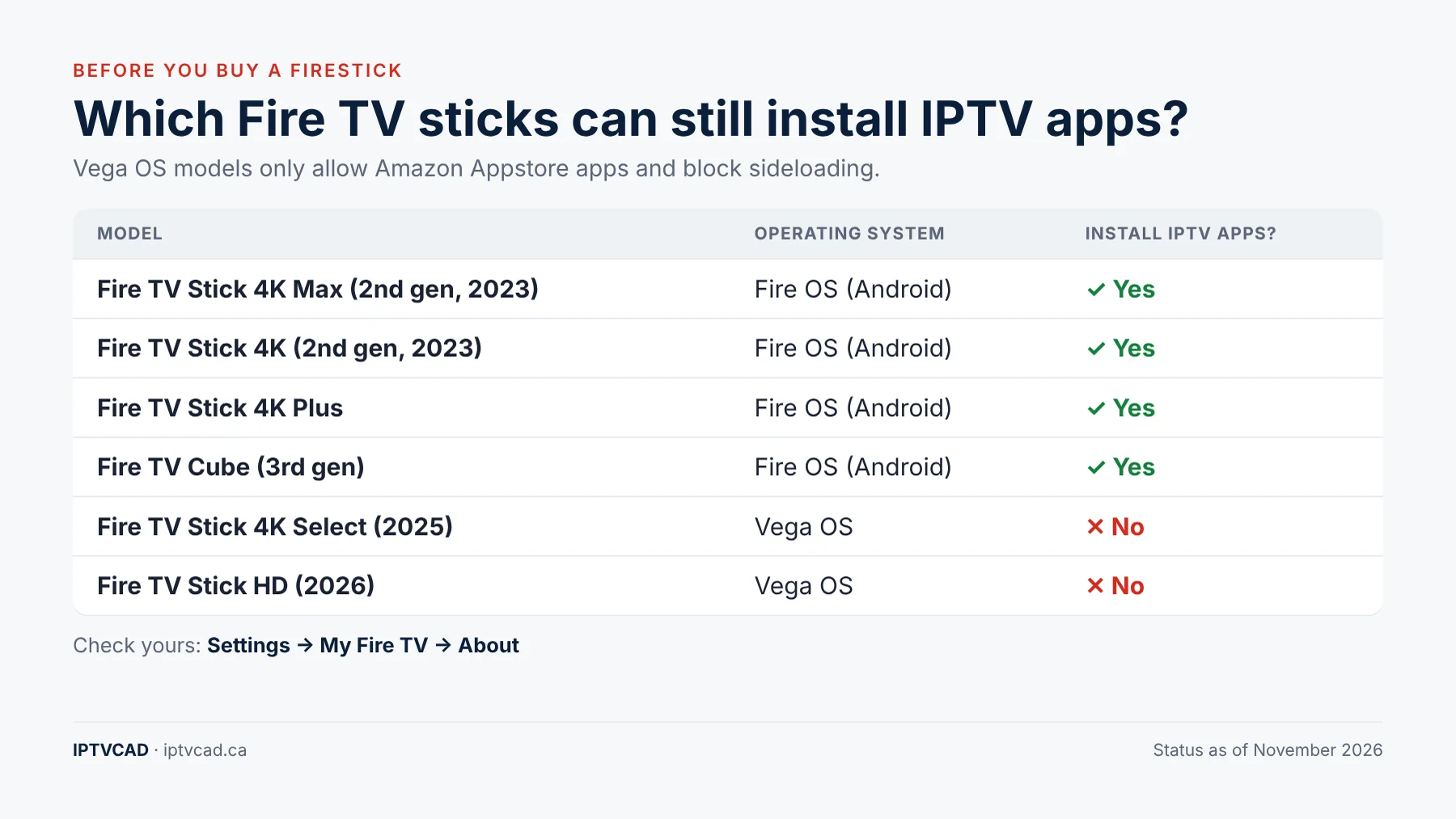
How to check a Fire TV you already own: go to Settings → My Fire TV → About and look at the software version. If it says Vega OS, sideloading won’t work. When buying, read the listing carefully: Vega OS models say only Appstore apps are supported.
Existing Fire OS sticks are not being forced onto Vega, so if you already have a Fire TV Stick 4K Max (2nd gen), keep using it. If you’re buying new, either grab a Fire OS model while stock lasts or choose a Google TV / Android TV device instead.
Best IPTV Boxes in Canada (2026) at a Glance
| Device | Best for | Approx. price (CAD) | Ethernet | Login types |
|---|---|---|---|---|
| Fire TV Stick 4K Max (2nd gen) | Best value | ~$85 list, often on sale | Adapter needed | Xtream, M3U |
| Google TV Streamer | Best for wired internet | $129.99 | ✅ Built in | Xtream, M3U |
| Formuler Z11 Pro Max | Cable-box feel, live sports | ~$180–$270 | ✅ Gigabit | Xtream, M3U, portal |
| Nvidia Shield TV Pro | Power users, big 4K TVs | ~$250–$300 | ✅ Gigabit | Xtream, M3U |
| Apple TV 4K | Apple households | From ~$199 | On higher model | Xtream, M3U |
| MAG 524w3 | Portal (MAC) logins | ~$130–$180 | ✅ Built in | Portal |
| BuzzTV XRS 4500 | Simple remote, channel buttons | ~$150–$240 | ✅ Built in | Xtream, M3U, portal |
The Best IPTV Boxes, Reviewed
1. Amazon Fire TV Stick 4K Max (2nd gen): Best Value
The 2nd-gen 4K Max is still the easiest way into IPTV, as long as you get the Fire OS version. It has a 2.0 GHz quad-core processor, 16 GB of storage and Wi-Fi 6E, and it runs IPTV Smarters and TiviMate smoothly. Its list price on Amazon.ca has risen to around $85, but it goes on sale often.
- ✅ Cheap, small, works on any TV with HDMI
- ✅ Huge community, so help is easy to find
- ❌ No Ethernet port (a USB Ethernet adapter fixes it)
- ❌ Make sure you’re buying the Fire OS model, not a Vega OS stick
Setup: follow our Firestick IPTV installation guide.
2. Google TV Streamer: Best for Wired Internet
Google discontinued the Chromecast with Google TV and replaced it with the Google TV Streamer, which sells for CA$129.99 on the Google Store. It has 4 GB of memory, 32 GB of storage and a built-in Ethernet port, so it’s a strong pick for live sports where a stable wired connection matters. Because it runs Google TV, you can install IPTV players from Google Play or sideload them.
- ✅ Ethernet built in, plenty of memory and storage
- ✅ Google Play access, regular updates
- ❌ Costs more than a Fire TV stick
Setup: see our Google TV IPTV tutorial.
3. Formuler Z11 Pro Max: Best Cable-Box Experience
Formuler boxes are built specifically for IPTV. The MyTVOnline 3 app gives you a TV guide and channel surfing that feel close to a cable box, with a remote that has real channel buttons. It has a Gigabit Ethernet port and supports Xtream Codes, M3U and portal logins. You’ll usually buy it from IPTV-focused retailers rather than big-box stores.
- ✅ Best TV-guide experience for live TV and sports
- ✅ Wired Ethernet, handles all login types
- ❌ Pricier, and mainstream streaming apps can be less polished
Setup: read our MyTVOnline tutorial.
4. Nvidia Shield TV Pro: Best for Power Users
The Shield TV Pro is overkill for IPTV alone, but it’s the most capable Android TV box you can buy. It has 3 GB of RAM, Gigabit Ethernet and AI upscaling that makes HD channels look sharper on large 4K TVs. If you also run Plex or game streaming, it’s worth the money.
- ✅ Fastest Android TV box, Gigabit Ethernet, USB ports
- ✅ AI upscaling for big screens
- ❌ Expensive for IPTV alone; older hardware design
Setup: see how to set up IPTV on Nvidia Shield TV.
5. Apple TV 4K: Best for Apple Households
The Apple TV 4K is fast, polished and gets long-term updates. The trade-off: TiviMate is Android-only, so you’ll use apps like IPTV Smarters or GSE Smart IPTV from the App Store. Only the higher-storage model has an Ethernet port.
- ✅ Smooth, private, long software support
- ❌ No TiviMate; fewer IPTV player choices
- ❌ Expensive compared with Android options
Setup: see our Apple IPTV tutorial.
6. MAG 524w3: Best for Portal Logins
MAG boxes are Linux-based set-top boxes that use a portal URL and your box’s MAC address instead of a username and password. They’re simple and stable but can’t run Android apps. Only buy one if your provider uses portal logins.
Setup: see our MAG box tutorial.
7. BuzzTV XRS 4500: Simplest Remote
BuzzTV boxes are Android-based IPTV boxes with 4 GB of RAM, 32 GB of storage and Ethernet. Their remote has dedicated channel buttons and a last-channel button, which many people find easier than a streaming-stick remote.
Boxes to Avoid
- Vega OS Fire TV sticks (Fire TV Stick 4K Select, Fire TV Stick HD 2026) if you need IPTV apps.
- “Fully loaded” boxes sold with channels pre-installed. They often run outdated, uncertified software and stop working without warning.
- No-name Android boxes under $50 with inflated specs (“8K, 16 GB RAM”) and no updates.
- Boxes without a Canadian certification number (see below).
- Old devices such as 1st-gen Fire TV sticks, which struggle with modern apps.
How to Check a Box Is Certified for Canada
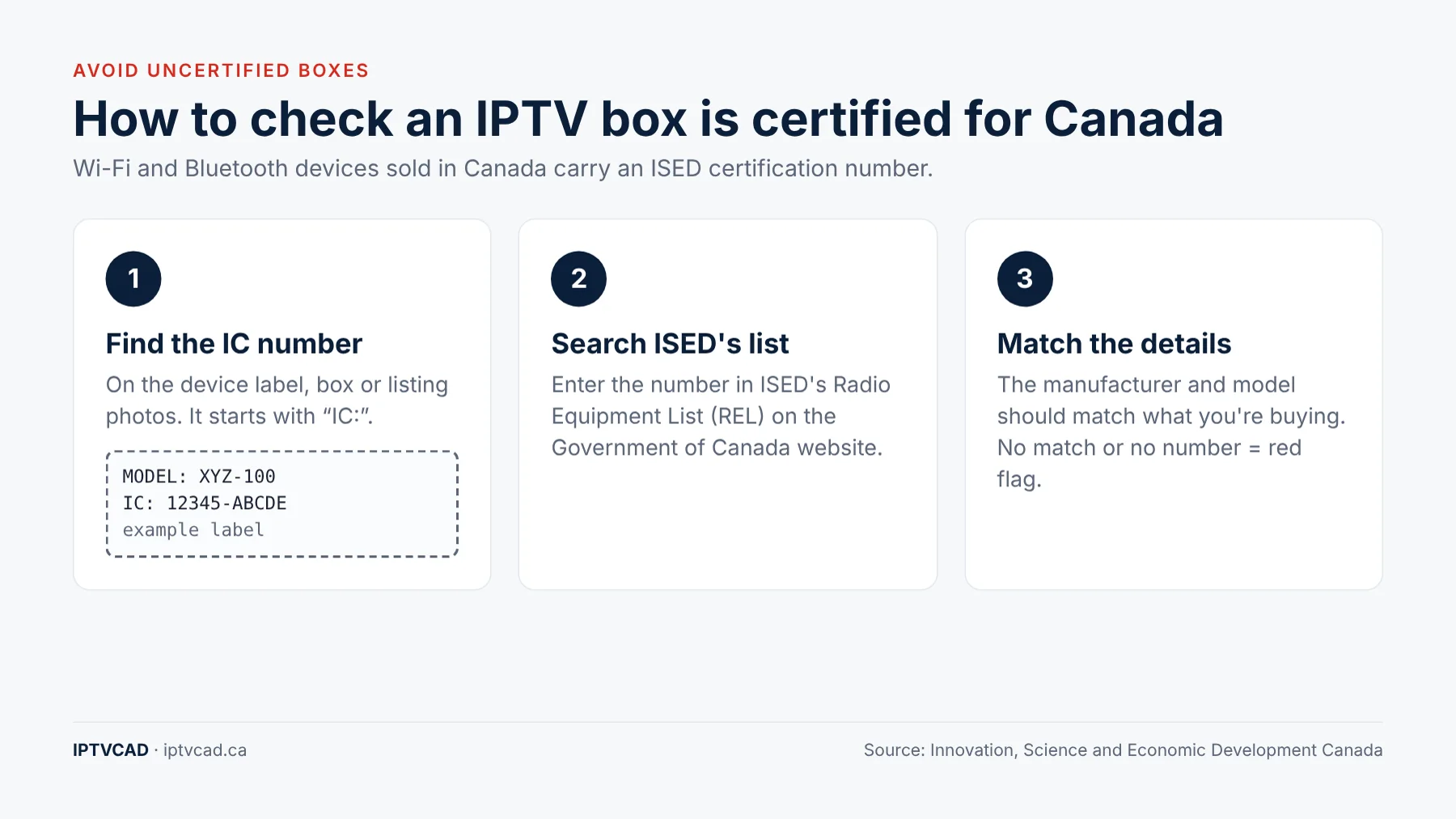
Any device with Wi-Fi or Bluetooth sold in Canada must be certified by Innovation, Science and Economic Development Canada (ISED) and carry a certification number starting with IC:. ISED advises consumers to search its Radio Equipment List (REL) before buying radio equipment.
- Find the label on the box or device (or in the listing photos) with “IC:” followed by numbers.
- Search that number on ISED’s Radio Equipment List.
- Check that the manufacturer and model match what you’re buying.
Major brands (Amazon, Google, Apple, Nvidia) all carry IC numbers. A cheap box with no IC number, or one that doesn’t match the REL, is a warning sign about everything else the seller claims.
Match the Box to Your Login Type
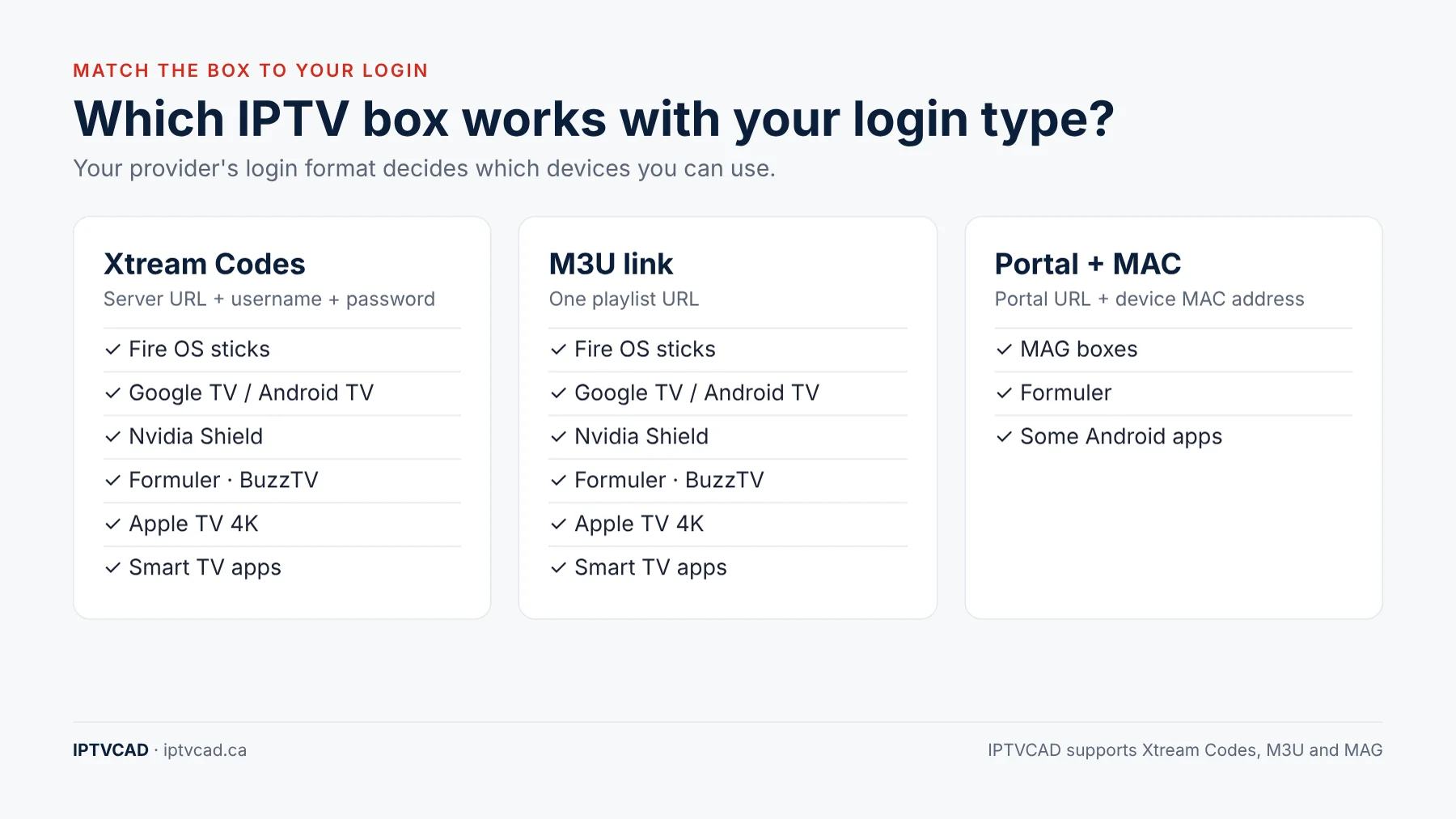
| Your provider gives you… | Works on |
|---|---|
| Xtream Codes (server, username, password) | Fire OS sticks, Google TV, Android TV boxes, Shield, Formuler, BuzzTV, Apple TV, smart TV apps |
| M3U playlist link | Same as above |
| Portal URL + MAC address | MAG boxes, Formuler, some Android apps |
IPTVCAD sends Xtream Codes or an M3U link and supports MAG boxes, so every device on this list works with our IPTV subscription plans. Not sure what your login type means? Our guide to IPTV login credentials explains each one.
Specs That Actually Matter
- Ethernet port: the biggest upgrade for live sports. A wired connection avoids Wi-Fi drops during busy evenings.
- RAM: 2 GB minimum, 3–4 GB for smooth TV-guide scrolling.
- Storage: 16 GB or more so apps and their caches have room.
- Current, updated software: Android TV, Google TV or Fire OS that still receives updates.
- Wi-Fi 5 GHz or Wi-Fi 6/6E: if you can’t run a cable, use the 5 GHz band.
- A remote you like: channel buttons matter more than voice control for live TV.
Your router matters too. See our picks for the best router for IPTV in Canada.
Do You Even Need a Box?
Maybe not. Many Samsung, LG and Android/Google TV sets from roughly 2020 onwards can run IPTV player apps directly. If your TV’s app store has IPTV Smarters or a similar player, try your free trial on the TV first. Smart TV processors are often weaker than a streaming stick, though, so if channels load slowly or the guide lags, a $50–$85 stick usually fixes it. See the best IPTV apps for Samsung and LG TVs.
What Your First Year Really Costs
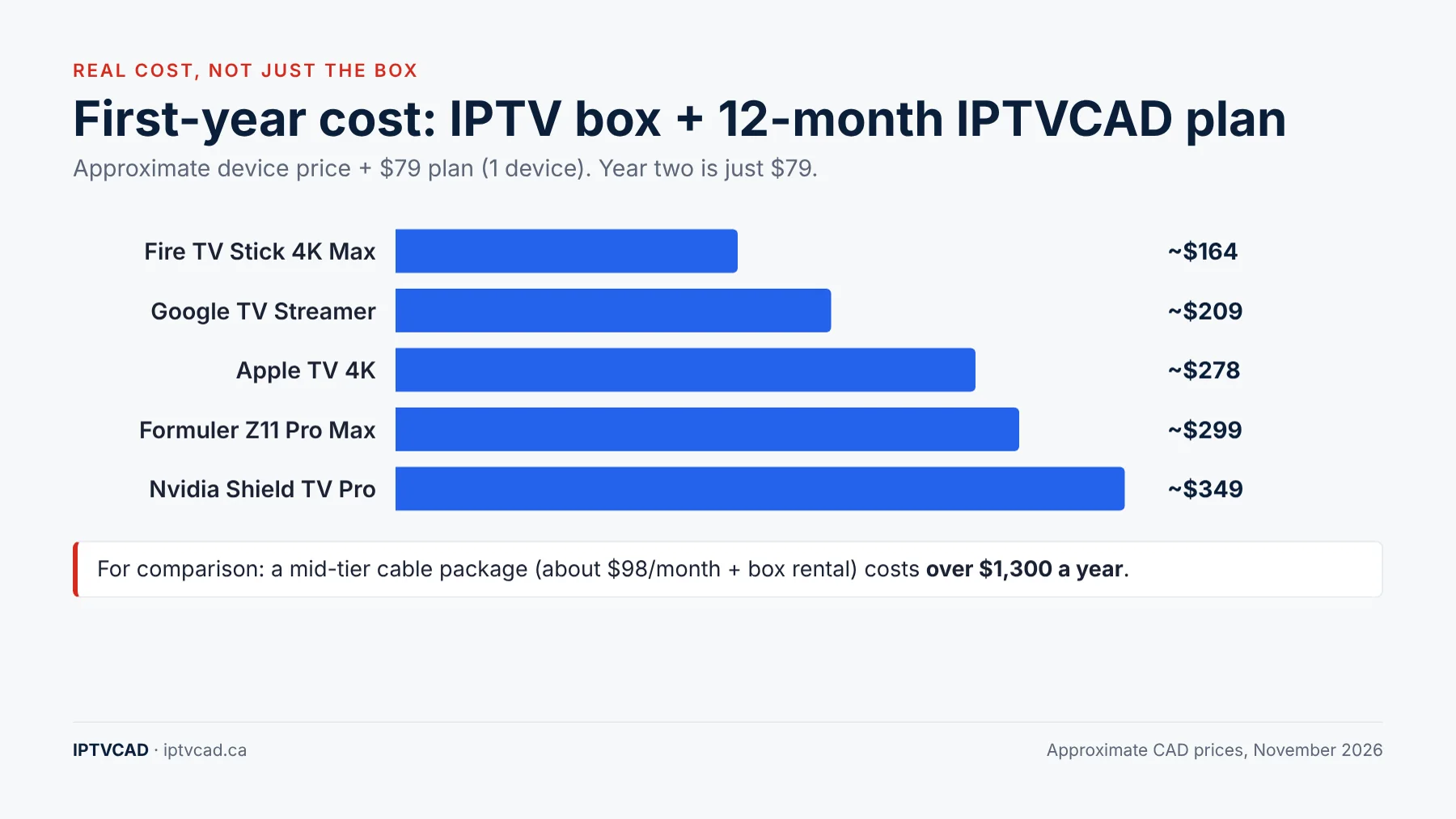
Most guides only list the box price. Here’s the full picture with a 12-month, 1-device IPTVCAD plan ($79):
| Setup | Device (approx.) | 12-month plan | First-year total | Year two |
|---|---|---|---|---|
| Fire TV Stick 4K Max | ~$85 | $79 | ~$164 | $79 |
| Google TV Streamer | $130 | $79 | ~$209 | $79 |
| Apple TV 4K | ~$199 | $79 | ~$278 | $79 |
| Formuler Z11 Pro Max | ~$220 | $79 | ~$299 | $79 |
| Nvidia Shield TV Pro | ~$270 | $79 | ~$349 | $79 |
For comparison, a mid-tier cable package such as Bell Fibe TV Better costs about $98 a month plus box rental, which comes to more than $1,300 a year. Even the most expensive setup above costs less in its first year than three months of that. More in Is IPTV better than cable TV in Canada?
Running IPTV on more than one TV? You can connect one box to two TVs, or use a box per TV with a multi-device plan.
Which IPTV Box Should You Buy?
- Tightest budget, already on Wi-Fi: Fire TV Stick 4K Max (2nd gen, Fire OS).
- Want Ethernet without spending big: Google TV Streamer.
- Watch lots of live sports and miss cable: Formuler Z11 Pro Max.
- Big 4K TV, also use Plex or gaming: Nvidia Shield TV Pro.
- Everything else in your home is Apple: Apple TV 4K.
- Provider uses portal logins: MAG 524w3 or Formuler.
Setting Up a New IPTV Box in 5 Steps
Whichever device you choose, setup follows the same pattern and usually takes under 15 minutes:
- Connect and update. Plug the box into your TV’s HDMI port, connect it to the internet (Ethernet if possible) and install any system updates before adding apps.
- Install an IPTV player. Use Google Play or the App Store where the player is listed. On Fire OS sticks, use the Downloader app. On Formuler, MyTVOnline is built in. On MAG, there’s nothing to install.
- Enter your login. Type in your Xtream Codes details or M3U link, or give your provider the box’s MAC address for portal logins.
- Load the TV guide. Most players pull the guide automatically. If it’s empty, see our EPG setup and troubleshooting guide.
- Organise your favourites. Hide channel groups you don’t watch and add favourites, so the box feels as quick as cable.
Keeping Your Box Fast After the First Year
Streaming boxes slow down over time as apps build up cached data and storage fills. A few habits keep them running like new:
- Clear the player’s cache every month or two. Here’s how to clear IPTV cache on every device.
- Uninstall apps you don’t use, especially on 8–16 GB devices.
- Restart the box weekly rather than leaving it in standby for months.
- Keep the system and player updated, but avoid beta versions of IPTV apps.
- Reset as a last resort. If it’s still slow, follow our guide to resetting an IPTV box.
If buffering starts suddenly on a box that used to work well, the cause is more often the network or the time of day than the hardware. Our guide to stopping IPTV buffering walks through the checks in order.
Test Before You Buy (the Box or the Plan)
- Try IPTV on a device you already own (smart TV, phone or computer) with a free trial.
- Watch a live game in the evening to check stability on your connection.
- If the picture is great but the TV app is slow, the device is the bottleneck. That’s when a box is worth buying.
- If it buffers on every device, check your network first. See the best internet plans for IPTV.
Get a free 24-hour IPTV trial with no credit card and test it on your current setup before buying anything.
Bottom Line
The best IPTV box in Canada depends on your connection and how you watch, but the rules are simple: avoid Vega OS Fire TV sticks, pick a device with Ethernet if you watch live sports, check for an IC certification number, and match the box to your login type. For most homes, a Fire OS Fire TV Stick 4K Max or a Google TV Streamer is all you need. Pair it with IPTVCAD and your first year costs less than three months of cable.
Frequently Asked Questions
What is the best IPTV box in Canada?
For most people, the Amazon Fire TV Stick 4K Max (2nd gen, running Fire OS) offers the best value. The Google TV Streamer is better if you want a built-in Ethernet port, and the Formuler Z11 Pro Max gives the most cable-like experience.
Can I use IPTV on the new Fire TV Stick 4K Select?
Usually not. The Fire TV Stick 4K Select and Fire TV Stick HD (2026) run Vega OS, which only allows Amazon Appstore apps and blocks sideloading. Most IPTV players need sideloading, so choose a Fire OS model or a Google TV device instead.
Does an IPTV box come with channels?
No. A legitimate IPTV box is just hardware. You need a separate IPTV subscription that gives you login details. Boxes sold “fully loaded” with channels are a red flag.
How much does an IPTV box cost in Canada?
Expect about $85 for a Fire TV Stick 4K Max (often less on sale), $130 for a Google TV Streamer, $180–$270 for a Formuler and $250–$300 for an Nvidia Shield TV Pro.
Do I need Ethernet for IPTV?
It isn’t required, but it’s the best upgrade for live sports. A wired connection avoids Wi-Fi drops during busy evenings. If your device has no port, a USB Ethernet adapter works.
Can I use my smart TV instead of a box?
Often, yes. Many Samsung, LG and Google TV sets from about 2020 onwards can run IPTV apps. If the app is slow, a streaming stick is a cheap upgrade.
Which IPTV box works with IPTVCAD?
All of the devices in this guide. IPTVCAD provides Xtream Codes or M3U logins and supports MAG boxes. You can test any device with a free 24-hour trial.